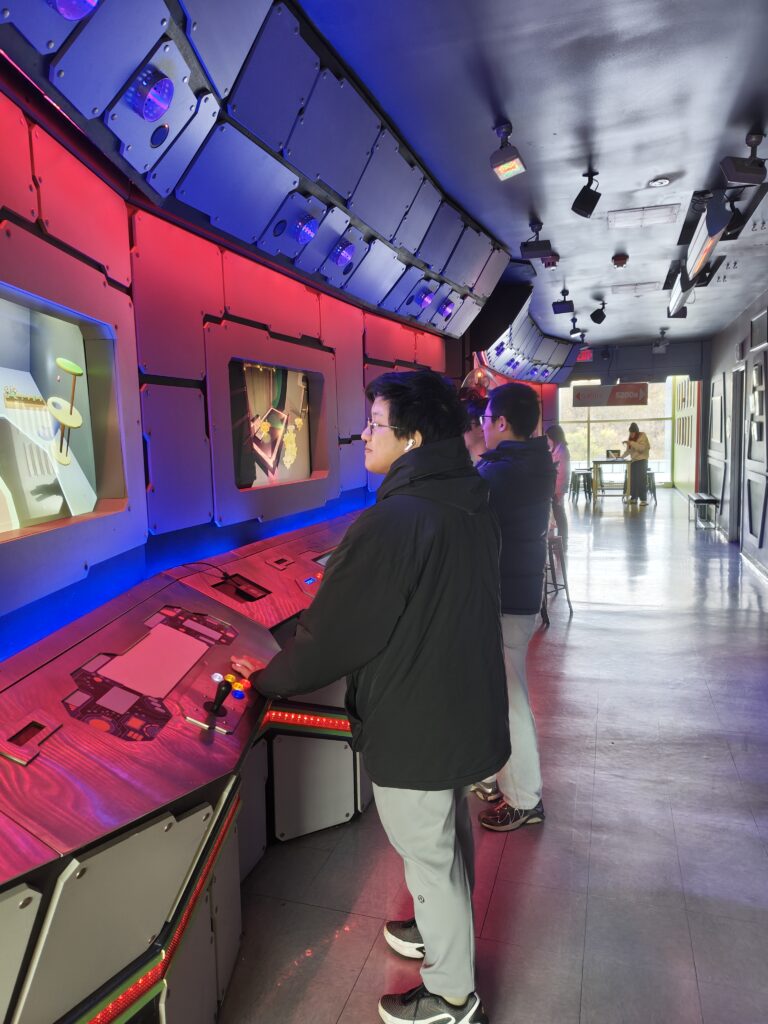
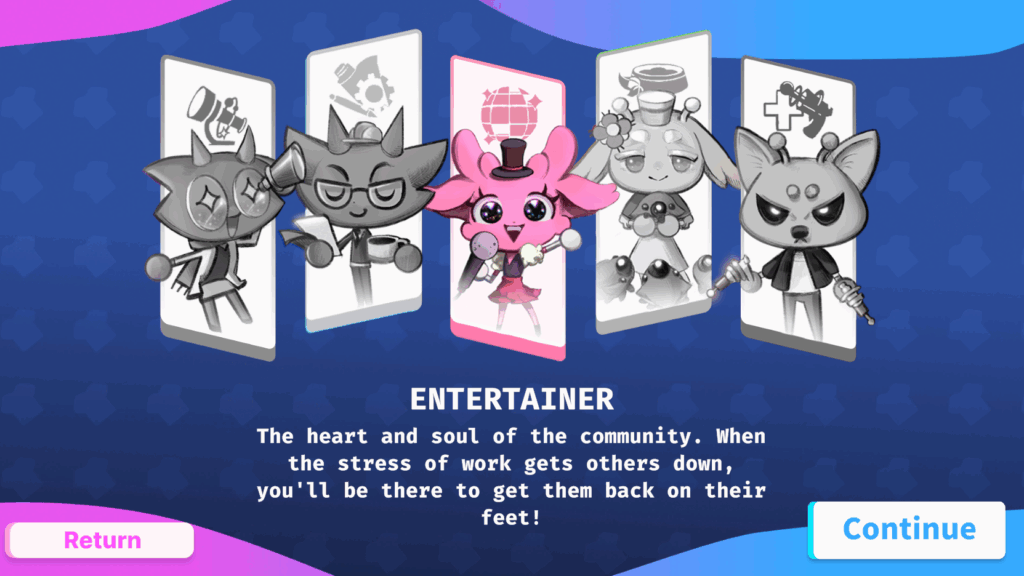
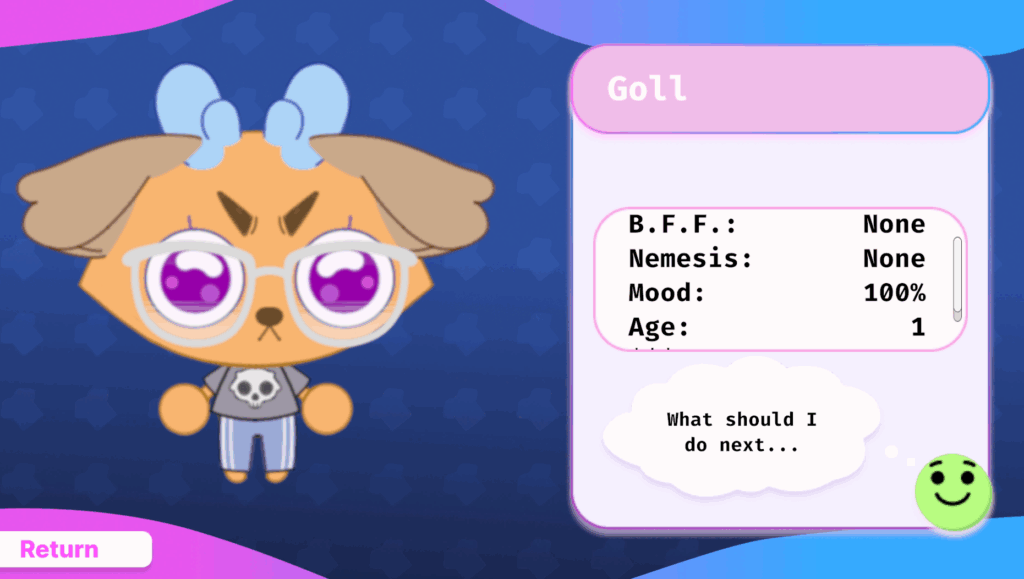
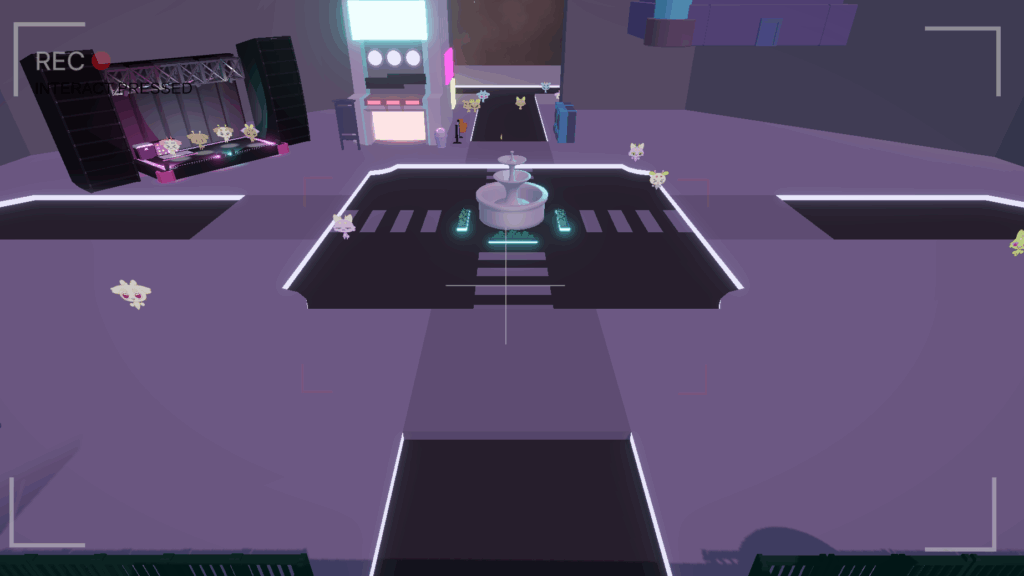
TRANSCRIPT: Hello! Welcome to Week 11. A lot of development going on this week, and so what we’ve got to show you may be more eclectic than the previous weeks. Let’s start with what I think is our most fun development: RFID cards!
At the beginning of this week, we had decided to limit how many characters one player could make by linking characters to checksum’d ID codes that we would distribute. This worked alright, but… it was clunky to enter a ID code every time you wanted to check out your character. Well, we have a better solution now! RFID cards.
Our project advisor, Dave Culyba, brought to our attention that the ETC actually possesses many RFID readers and cards. After a brief test with the technology, we found that they were actually the perfect solution to our design woes.
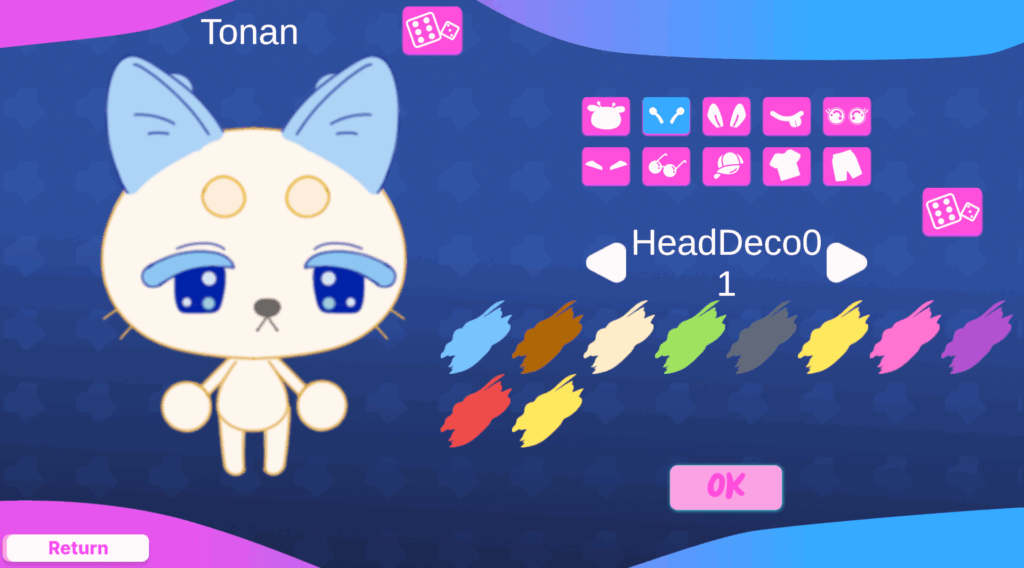
So now, to create a character, a player just needs to tap their ID card on a reader. If a character exists already, they’ll see their information. But if not, then they’ll be guided to create a new character to send into the world and link to their account.
We had a in-house playtest here at the ETC to see how all of that UX flowed. We are quite pleased with the results! Assigning characters to a card seemed to give players a greater sense of ownership over their character, and lowered the burden of checking in on their characters to one satisfying tap. Overall, we are very excited to develop how we will deploy this technology during Festival.
In addition to testing the RFID card user flow, we also were paying careful attention to how players interpreted our UI. And we gleaned plenty of insight on how we should shape our UI moving forward (for one, we swapped the order of role selection and character customization in the character creation user flow). We also occasionally had some confusion in terms of where the player should be looking at any given time, and so we’re beginning to develop more interstitial guiding UI to help players understand where they should look next no matter how familiar they are with character creators from the get-go.
And of course, we now have the beginnings of this wonderful news caster UI! In this screen, we plan to share broader updates about the state of the world. The meta goals of research, construction, emergences, etc. The main design goal we’re pushing on now is giving players a clear reason to return throughout the night of Festival. And hopefully, this will be a part of that!
We also hope to add a simple ‘level-up’ system, to give each player a sense that their character is growing in skill as the night progresses.
So, lots of things! But a lot we’re excited about. Next week will be Softs. We hope to be able to demonstrate the structure and direction and motivation of all of these systems by then. So, until then!
We are chugging along here. Much like before, we are currently in the midst of another iteration cycle. This time, our focus is on pushing on the ways in which we want characters in our world to feel like they have a function and purpose, in order to give the player a clearer motivation and incentive to both create a character and to check back in on them.
We have conceived of five roles for the characters. I’ll just summarize them quickly: Engineers fix broken objects around the city, making them useable to others; Researchers work to progress broader meta-goals that represent the scientific progress of the community at large; Entertainers work at establishments like cafes or performance stages to provide a place for others to restore their mood (which affects the rate at which they work); Caretakers raise plants in a greenhouse; Safety Officers patrol randomly.
You might observe, the function of the last two roles seems a little undefined. Well, there’s a chain of reasons for that. It all boils down to thinking about scope, but in the shorter-term timeframe, we’re interested in observing how people understand the roles that they’re selecting for their character, and whether or not they ‘mind’ or even notice if the role they selected for their character actually contributes directly to the same goal as everyone else. In other words, if a player creates a Safety Officer because they want their character to be a cool looking security guard, will they be satisfied if all that entails is that their character looks menacing and stands in front of an important entrance way the whole time? Our experience is largely designed to be something that you don’t watch closely for long stretches of time. It may not be worth it to invest a lot of design time into complicated numerically driven systems if a player won’t particularly care about them or perhaps even notice them.
But yeah. These are the kinds of things we’re working on right now. This is a bit of a short blog this week, because a lot of this cycle of development is going to extend into next week, both over the weekend and on Monday and Tuesday as we work towards next Wednesday’s playtest. So, think of the next blog post as the direct continuation of this one!
Playtest Day has come and gone. This dev report is technically dated a weekend after it should be, but Playtest Day was over the weekend. No sense in reporting once again before that event!
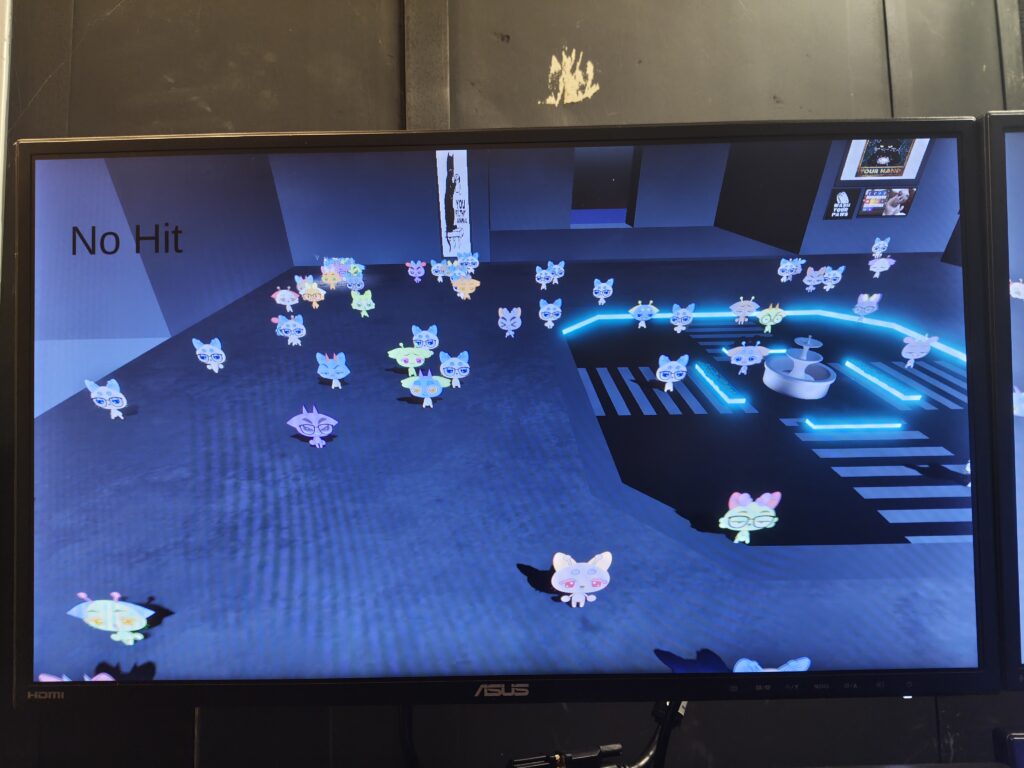
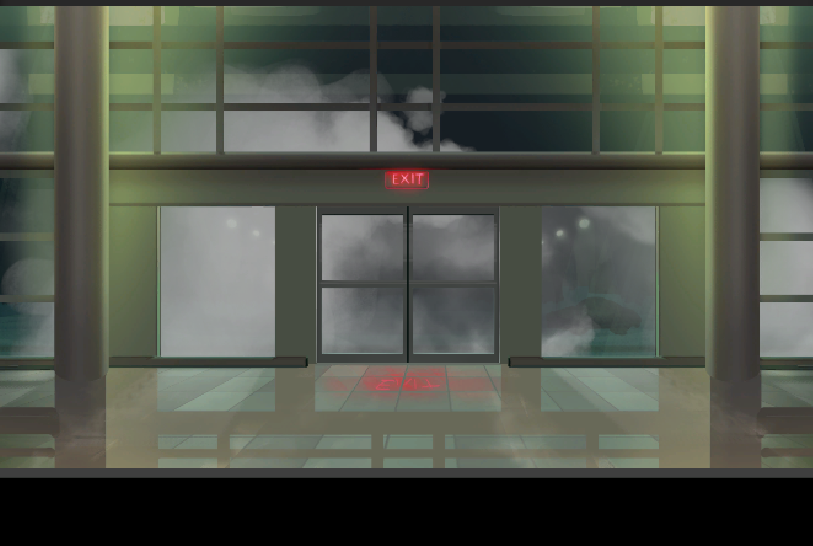
Leading up to Playtest Day was comprised of a lot of work on much of what I described in last week’s log. The character creation system was mostly in, so we did also shift to looking more at what the in-game city-world that your characters would live in would look like. At this point, it’s largely still just a greybox, so it isn’t altogether too exciting. But here’s a look, in case you’re curious:
(This photo is also technically from Week 11, but it’s an older scene that lacks textures, which is what we were working with at the time. There are some more elements here than what we had before, so you’ll see the original later)
So, Playtest Day! We were running our testing groups at the Space Bridge itself, which is of course great. But the construction of the day itself is a bit of an odd one for us. Our target context is, of course, Festival, which is an event that expects quite large crowds. The groups of 2-5 people at Playtest Day weren’t the best approximation of that. But regardless of that, this was still the first time we had outside players actually interacting with systems and UI, so perhaps seeing that all occur in a more restrained, if less accurate, environment was better for our observations.
Unfortunately, I am embarrassed to admit, we did not take any photos of people at the consoles themselves. However, I do have some photos from the backrooms about midway through our playtests:
This photo is a bit creepy, I know. But all of these characters were created by our playtesters, which is fun to see!
The main things that we were looking for in observing and interviewing are playtesters were: what elements of the UI did they find confusing if any and what did they want/expect their character to do based on how they designed it. To the first question, we found that players in the younger age demographic (26 and younger, including some middle schoolers) really didn’t need any guidance in understanding how the character creator worked and how they could use it to create a character. Older players did need a range of guidance, depending on their apparent familiarity with video games. We also found that our icon for the eyebrow body part in the character customizer was confusing, so we will be adjusting that!
To the second question, we got quite a fun range of answers. Lots of people wanted to their character to be, in some way, helpful to the community of characters they saw on screen when they started making their own character (unprompted by us, especially given that our given world was so empty, which I view as a promising sign). And then also, a significant portion of players wanted to make a character that was evil, or in some way mischievous, largely due to some of the character customization options (mainly the eyes, eyebrows, and mouths) guiding them to think of their character as some kind of troublemaker.
We also had one player that wanted to have their character turn the entire city into a Walmart, and one player who wanted their character to start a cult.
Overall, people enjoyed making their characters! I mean, there is some implicit bias towards that result in that these playtesters aren’t liable to just say “I hated doing this” (unless they really hated it). We did try and avoid that bias by not just asking them in our list of questions “did you like making a character”, but rather by focusing on asking them about what they were trying to design for when they were making a character. And the most common motivations that we received were “I wanted to make a character that was cute” and “I wanted to make myself”, which are the two motivations that we want to see! So, a good sign.
But there was, of course, the sense from players that the world was empty. That manifested largely in an expression of wishing that they could see their character do more than just wander around. That too, however, I think is a good thing, seeing as that is an expectation we aim to meet in the coming weeks. So, in all I would sum the results of our playtesting on Playtest Day as “Our playtesters understood the basic premise of their world, enjoyed creating a character, and desired to see the experience move roughly in the direction we have planned (also there are some things in the UI we need to adjust for clarity)”.
So, we’ll try and do just that. As our next shorter-term-goal-than-Festival, we are going to run an inhouse playtest on the Space Bridge at the ETC the Wedneday of November 12th, a week and a half away. So… a repeat of last week! A lot of development to do until then, then we’ll test it, and iterate again. All part of the process. Until then!
We are back from Fall Break and we have a plan for what we want to make in the last half of this project semester.
Our ultimate goal is to make an experience that can run over the four hour course of the ETC’s Fall Festival ’25. For those who aren’t familiar, Fall Festival is an end of the year event here at the ETC that serves to showcase the work of the students in the program (so a lot of Building Virtual Worlds projects from the first years and a chance to show off the project work for the second years). It also happens to be the primary hands-on LBE experience that all students at the ETC are actually guaranteed to get (at least in this year 2025, I can’t speak to previous or future years), as the setup and running of Festival involves actually constructing and decorating a physical space to host an experience, and then facilitating the experience live for a continuous stream of guests over a fixed period of time. And so, it feels like a natural goal for us to aim towards.
In our team’s first Fall Festival, the Space Bridge served a rather simple function: it ran the same screensaver sequence that it had been up until that point, but there was a themed textbox on the center screens that announced that Fall Festival was going on. That served its purpose, but it did admittedly fall short of the amazing promises that the Space Bridge makes just by the very nature of its visual look. So, we want to try and use it to do something quite different for this upcoming Festival.
Considering the needs of Festival, what we came up with might seem a bit strange to some (especially those who are more ‘game-inclined’). Our general concept is this: An experience where guests are given the opportunity to create their own character that they send into a virtual city, which exists and develops throughout the four-hour course of Festival. They do not have direct control over their character (think the Sims, if you weren’t telling your character’s what to do, or something like Rimworld), but they can decide things like their character’s role, which dictate what their character will do throughout the city.
The goal of this design is to achieve an experience that is communal, quick to interact with, and motivates checking back in briefly whenever someone passes by. More of an art installation. I guess it’s also akin to those science museum installations where you can color in your own animal design on a sheet of paper and then scan it into a computer and watch a 3D model representation of creation join a herd of animals in a virtual space.
So, that’s what we’re working on now. There is a lot we need to do to achieve this goal. This week, we’ve largely been looking at character creation. We’re taking a 2.5D approach, where the world is a mix of 2D and 3D assets, with the characters being 2D sprites (ala Cult of the Lamb). Emily and Nina are collaborating to create 2D rigged and animated sprites using Spine that we can interchange parts for, and I have established the basic framework for creating combined skeleton meshes that are then linked to the character.
(This photo is actually from week 11, but the relevant elements are present here)
Of course, Festival is more than a handful of weeks off, and so we have a shorter-term goal that we’re aiming for instead at the moment: Playtest Day, which is next Sunday. We want to be able to run the character creator user interaction and some basic in-world character behavior during that playtesting event. So, lots of work to do before then!
Halves complete! This is both wonderful and terrifying. As it generally is to make it to the halfway point of anything. We’re almost there. Almost done, but also so little time left. Well, there’s nowhere left but forward, and so onwards we go!
Our Halves feedback was very positive! Shockingly so, I might say, although I don’t want to come across as pessimistic. It’s just that we have been hearing so many mixed things about the Space Bridge at the ETC. There’s a lot of history associated with the platform and every faculty member here at the program seems to have their own thoughts and opinions about what should be done with the thing. But looking at our feedback post-Halves, we saw a unanimous approval of the direction and progress of our project! And, I must admit, that was quite surprising to me, if only because I never expect a group as diverse as the ETC faculty to agree so uniformly. Of course, they all had differing specifics that they commented on, so it was so homogenous. But we always appreciate a general vote-of-confidence.
Besides that, the only other thing to talk about this week is the direction that we have decided to go post-Halves: we’re going to attempt to make something aimed at ETC’s Fall Festival 2025!
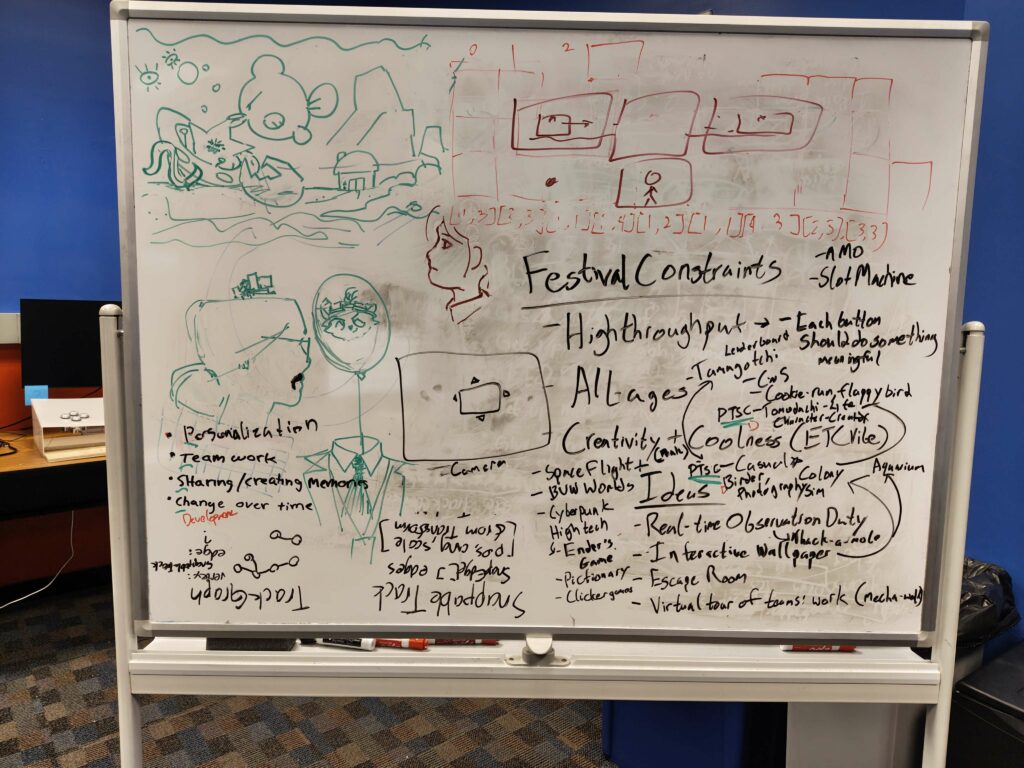
What that will be, we’re still ideating on. Here’s our idea board after our post-Halves meeting.
Next Monday (well, next-next Monday, given Fall Break is this coming week), we will be settling in on one idea and beginning to work on it right away. Time is of the essence after all. Only a little over a month until Festival, really. And less, even still, until Jury. And even less until Softs, which is our real goal. We want to be essentially at a feature-complete beta by then, at the very least. We will see…
It is almost Time. Halves is just next week, and so a substantial portion of our week has been dedicated towards preparing our outlines and presentation rough drafts. However, we have simultaneously been experimenting with our third prototype, and so I don’t have to bore you by dedicating this week’s blog post to presentation preparation.
So, what have we been making?
This week, we’ve been exploring a horror direction. Of course, we’re only allotting ourselves a week for this, as we have done before, but we ended up with something that I think would be quite worthwhile to explore on the Space Bridge in the future.
Here’s the general idea: An Observation Duty-like game on the Space Bridge. Simple enough. For those of you who aren’t familiar, Observation Duty is a series of indie horror games that have become popular as of late (especially in the genre of ‘indie horror games played by famous Let’s Play Youtubers, read: Markiplier’). In these games, the player is given control over a collection of security cameras that cover the breadth of some interesting location (e.g., a hotel, an amusement park, a laboratory), which they can cycle through, giving them a view of one area at a time. As time passes, the areas which they are not currently looking at will change in subtle (or sometimes not so subtle) ways, and they must point out what has changed in order to correct it. If too many changes build up without being identified, then the player loses. The goal for the player is to survive a set period of time without losing. Think of it like a horror spot-the-difference.
The advantages that we hoped to leverage in this kind of game were two-fold: we wanted to try and create and experience that many people could participate in as spectators, even if they don’t have direct control over the consoles (anyone can participate by observing and communicating. There’s a reason these games are so popular for Let’s Play Youtubers), and we wanted to try and make a game that utilizes the Space Bridge without overexerting itself attempting to make each screen and console control layout equally important for gameplay.
Of all of the prototypes that we could playtest and refine, I personally (me, Derek), would be interested in exploring this one. The art style we’ve landed on here is particularly striking on the large monitors of the Space Bridge. There’s something particularly intriguing there, the way it all looks in the framing of the whole console. It’s difficult to articulate, but standing at a physical console while you stare at a giant screen before you, flanked on other side by additional views of the outside world… It is an experience that hints at a whole other dimension of possibility for the Space Bridge.
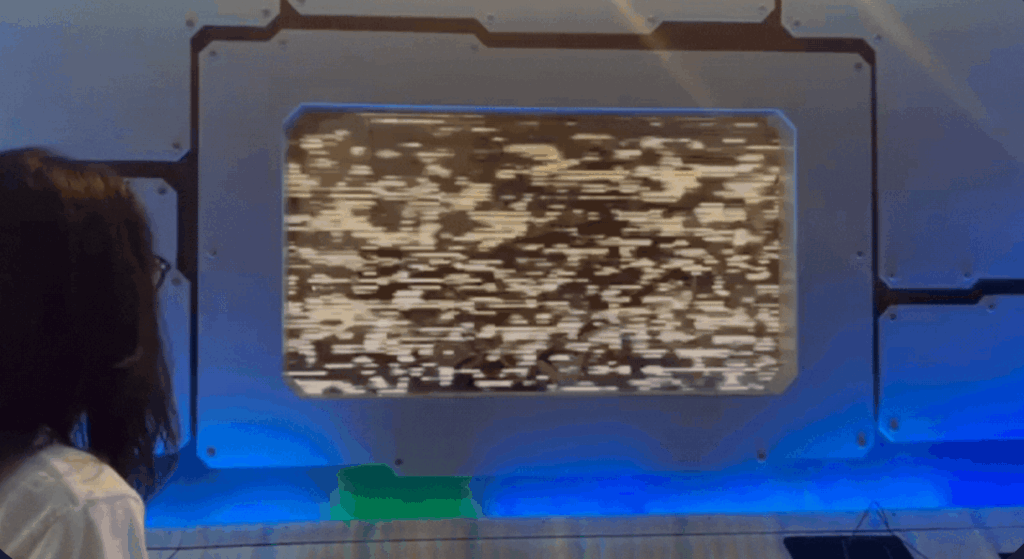
There’s more that can be said about the way we have set up controls and such for this experience, however given our time constraints and the simultaneous preparation for Halves, much of the interesting work that we’ve done here has been on the visual presentation on the Space Bridge itself. If we were to continue exploring this, we would definitely want to play around with the control scheme some more.
(Right now, the six buttons flanking the center control console are used to change the security camera view, and the touchscreen presents options to identify what has changed, e.g., when the computer monitors in a room become staticky the player would press the button that says “reboot systems”. It’s not the most engaging, but it serves its function for this prototype).
Anyways, next week is Halves. Hopefully that goes well!
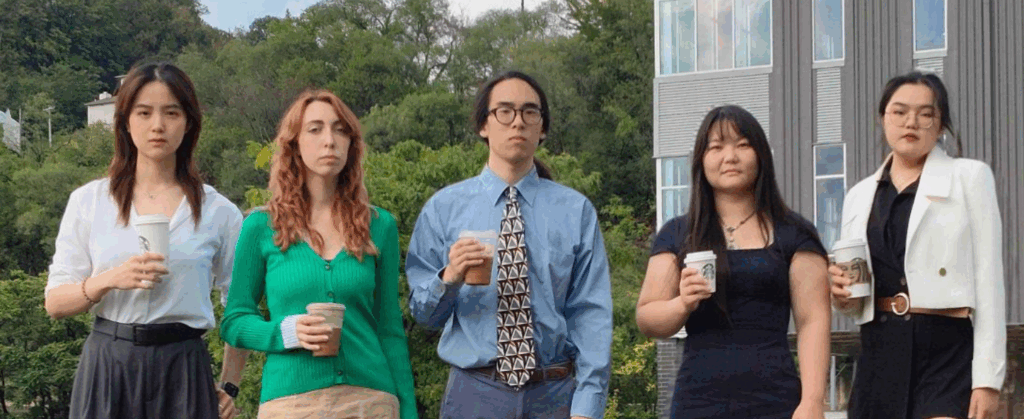
Greetings! We are constantly running around like headless chickens here at the ETC. We’ve pivoted our timeline ever so slightly. Rather than make the third prototype this week, we instead focused on Design Production: the halfsheet, poster, logo, team photo, etc. Of course, some preliminary planning got done for the prototype as well, but that’s a secret for next week.
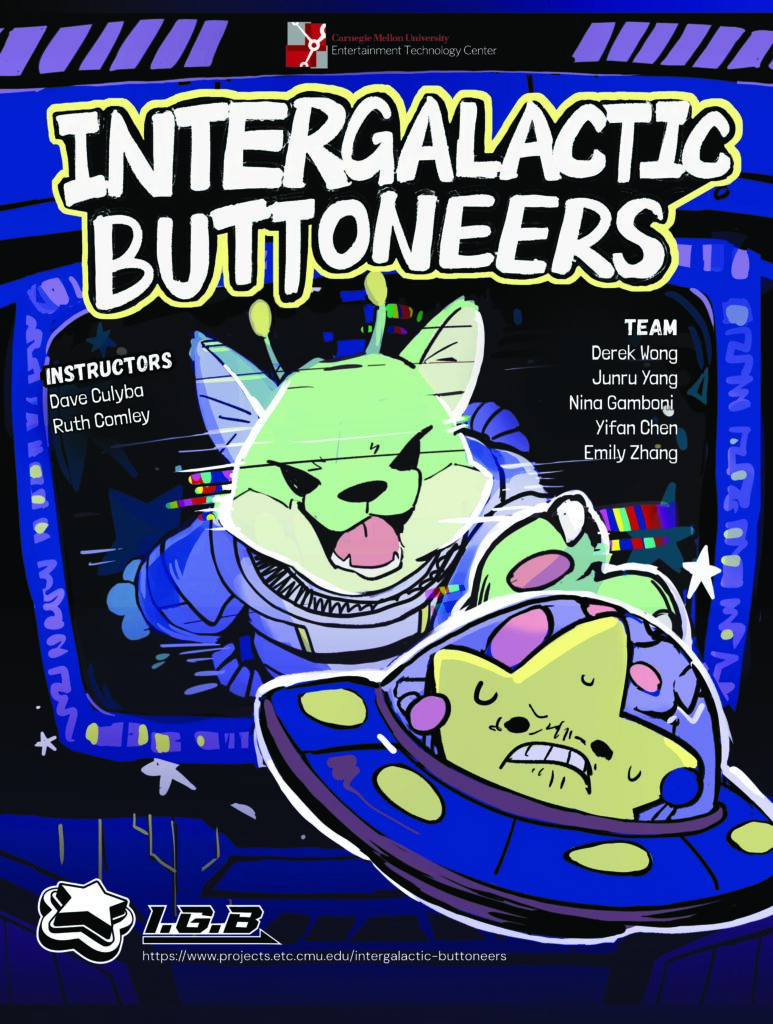
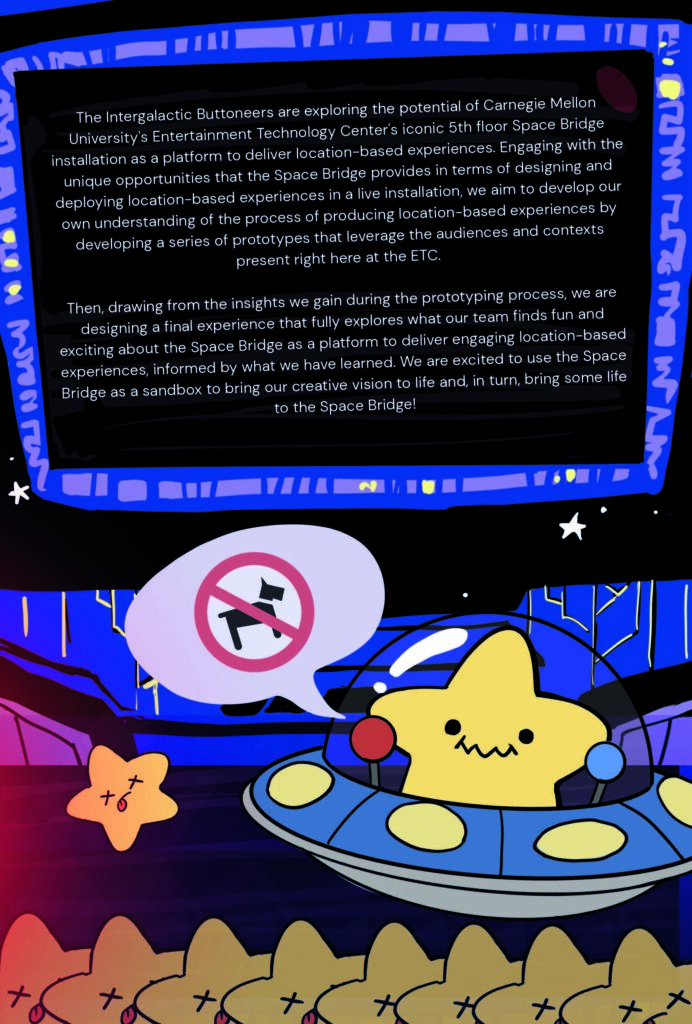
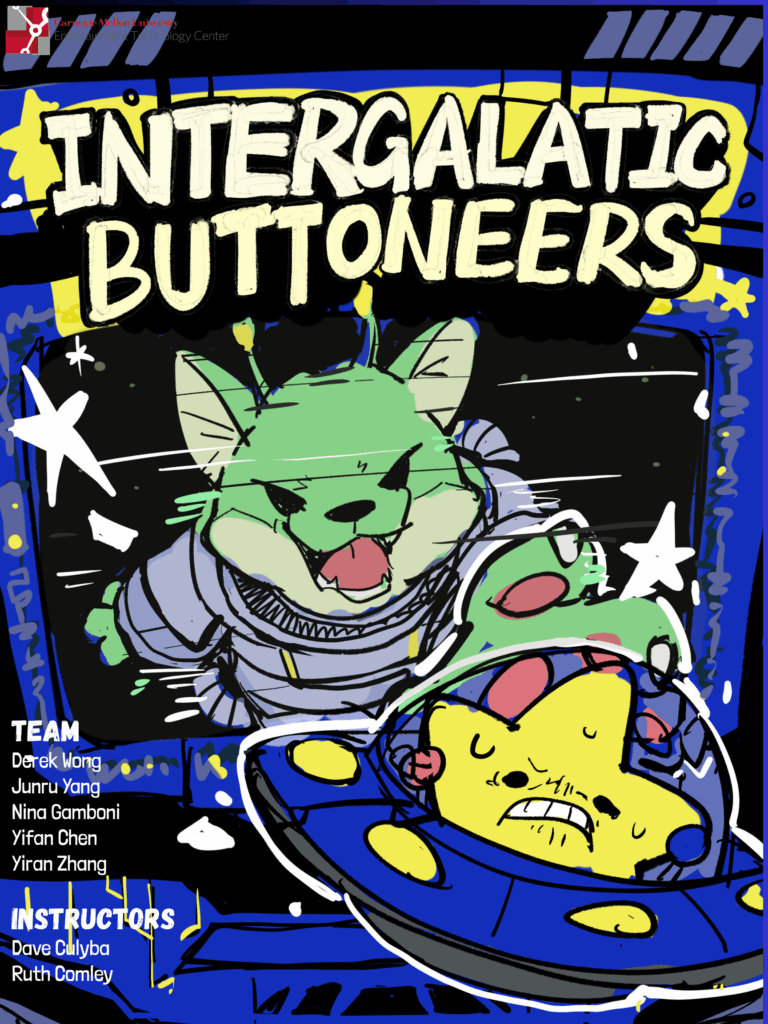
You’ve already seen the initial draft of our halfsheet/poster by Emily a couple weeks ago. With some rendering from Nina, here is the design we landed on!
That’s the poster. The halfsheet is much the same on the front, but here’s the back!
And, if you’re on this site, then you’ve already seen our logo 😉
Not much else to report besides. Catch you on the flipside!
It’s already week 4! How time flies. This week, with Quarters behind us, we sat down and started working on our second prototype. The way we’ve scheduled these out, our aim was to be done with this one in just a week, so we really had to hit the ground running.
Our primary goal for this prototype is to think about the ‘Daily Experience’; that is to say, what would an experience designed for the people that pass by the Space Bridge multiple times a day (Students, Faculty) look like? The idea that immediately stuck out to us was to make an incremental game (or, more commonly known as a clicker game).
Why?
Well, the gameplay loop of a clicker game is essentially structured around our exact audience context*. The gameplay interaction is immediately obvious, the feedback of the interaction is immediately satisfying, and a player isn’t expected to have to play the game for any long, contiguous period of time. One ‘complete’ interaction can be as easy as just pressing a satisfyingly clicky arcade button as they head to the elevators to grab lunch at the food truck outside.
*But, this does ignore the actual physical reality of the Space Bridge, of course. A physical, communal, six-screen console is not the same as the typical home for a clicker game, the mobile phone.
However, this actually provides us with an interesting opportunity, that we are excited to explore. Given the communal nature of the Space Bridge and its public space, it lends itself naturally to the idea of creating an experience that evolves on a schedule over a set period of time (e.g., a day or a week). We’re interested in the idea of a clicker game where the ‘clicks’ are a community effort, and the world of the game is ‘built up’ in some manner by the collective clicking of various passersby throughout the day. And, since we’re especially thinking about students and faculty, people who would pass by the Space Bridge multiple times throughout the day, the excitement of seeing some game world grow is something that we can actually leverage.
A week is not enough time to fully realize such a lofty goal, but it is something that we’re thinking about as we build this prototype, which will serve as a way for us to experiment with building a foundation for such an experience. And, when it came to actually thinking of what kind of world we wanted to make for this particular purpose, we were drawn to the idea of an aquarium. What’s an office lobby without its trust aquarium?
So, we made an aquarium. The idea is that there is one contiguous aquarium that spans the three upper screens of one side of the Space Bridge. When you press any button on the consoles, a bubble is generated. These bubbles can be spent for upgrades on the touchscreen, which add little decorations and elements to the aquarium and also improve the speed of bubble generation in various ways. The aquarium also has some fish that swim around and respond to a handful of interactions (e.g., buying the upgrade ‘fish food’ both improves bubble generation and also drops a piece of fish food into the tank, which fish will seek to eat). With enough bubbles, one can also buy extra fish.
There’s a bit of tension in this set-up, with the upgrade purchasing taken directly from traditional incremental games being a bit of an awkward analog in this distributed multiplayer system. That’s potentially a sticking point, since each upgrade directly translates to making the fish tank feel more ‘alive’ in some way, the hope is that this potential conflict-of-interest between players actually becomes more of a fun bonding interaction. A player might walk by the tank in the morning, press the buttons a couple of times, and then walk away. Then when they pass by the tank again, say for lunch, they can expect to see the aquarium transformed into a more lively, exciting home for the fish, and they would know that that was the result of multiple people throughout the day modifying it a little at a time.
Our quick timeline does result in a weakness in our pipeline: it is difficult for us to playtest this hypothesis. The idea of the game is built on the idea of change over an entire day, but unfortunately we don’t currently have the time to field test such a timeframe. Hopefully we can in later weeks.
We have found that people really like clicking the buttons though. Something about the very tactile arcade buttons is a huge draw. Very satisfying.
Quarters! Everyone ETC student’s favorite event of the semester.
The ideas we wanted to communicate to the ETC faculty during our Quarter’s sessions were fairly clear to us, but our plan for exactly how we would manage to communicate those ideas wasn’t so straightforward.
Ultimately, there were two key points we needed to get across: 1.) we are a design-focused team that ultimately wants to make creative software projects for the Bridge and 2.) we will be working with the IT Team in order to get the Bridge in a position where we can achieve our goals.
And overall, I think we managed to communicate it (I’d say we managed to convey our key points properly to 5 out of the 6 groups). In fact, a lot of the faculty that we talked to understood our project’s goals fairly quickly. In particular, we got some inspiring advice from Jesse Schell and Derek Ham about the overall aims of our project, and… how high they should be, let’s say. We also heard tell of some kind of Space Bridge ‘Curse’, but fate-willing, we shall never encounter such a thing.
Outside of Halves, progress in our various endeavors is progressing at a steady rate. Right before Wednesday, we got a delivery of monitors and a demo computer to our project room, so we were able to set-up the preliminary structure of our planned Space Bridge emulator (the Mirror) in our room. We just put up some space-themed backgrounds and images of the Space Bridge on those monitors for our Quarters rounds.
We’ve also been working on our team identity in order to develop our halfsheet, poster, logo, etc. Here’s a working concept from Emily!
The story of this week is really all about prototyping. So, let’s talk about what we’re looking at for this little game project.
The first thing that we want to learn and prototype for is rather simple relative to some of the more ‘game design-y’ goals of prototypes we have planned later down the timeline: we want to figure out how developing for the Space Bridge works, both on a technical level (i.e., how do we interface with the inputs and screens) and on a design level (i.e., we want to get experience designing a traditional game for the asymmetric 3 player co-op layout). The broad goal is mainly just to get our hands dirty and start getting familiar with the platform.
We don’t want everything we do to be tied to the space-theming of the physical platform itself, but we figured that we may as well make our little introductory prototype a cooperative spaceship flying game where each station is played by a different player, each with a different task!
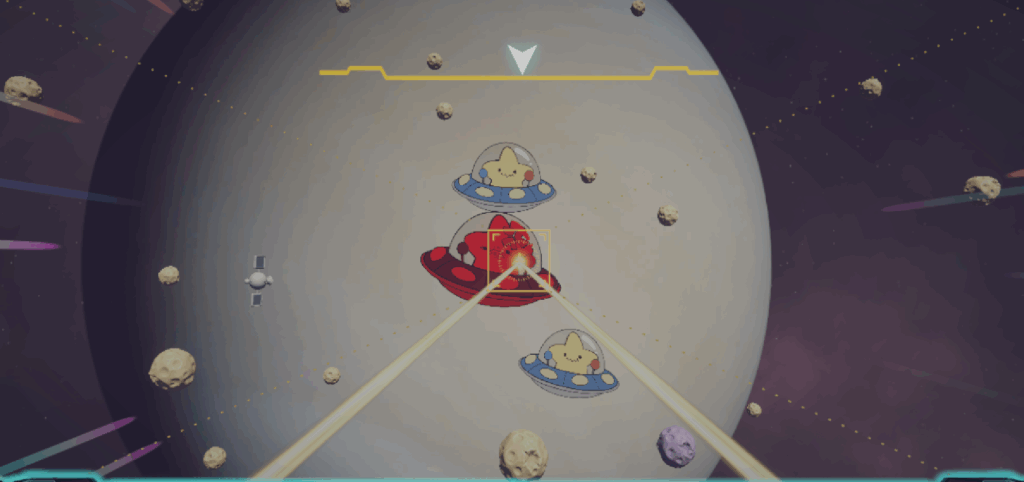
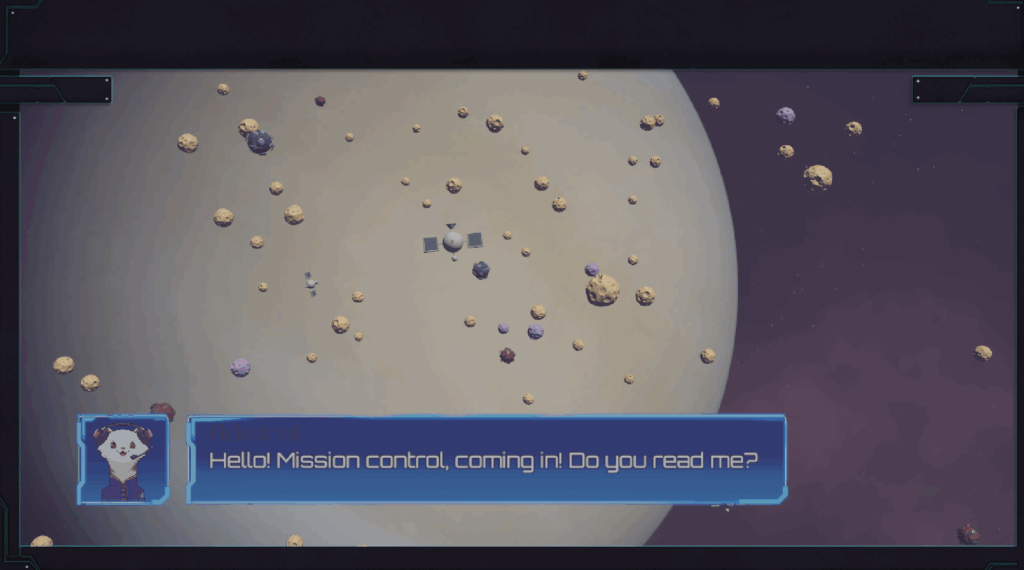
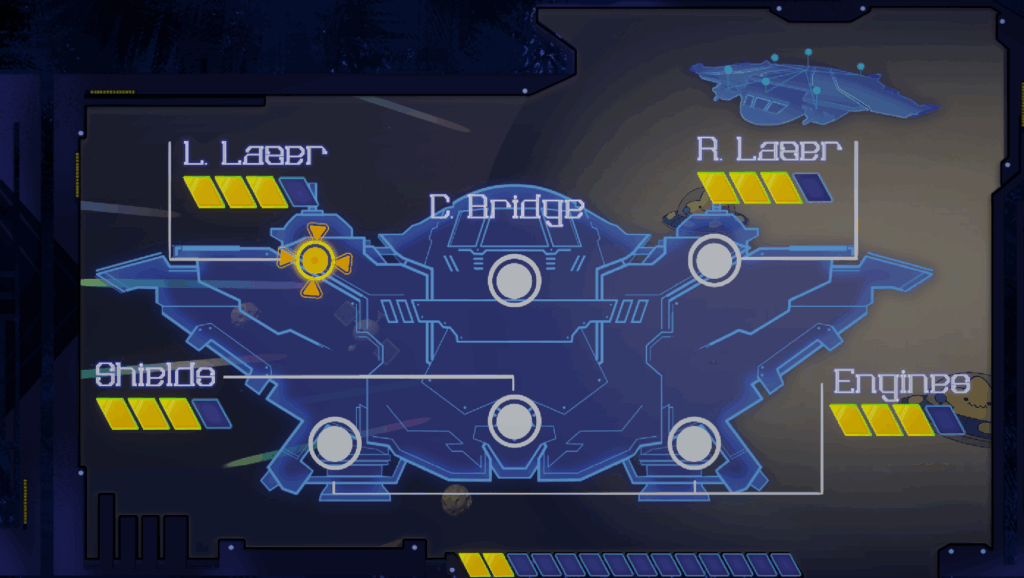
The roles of the players are the Navigator, who uses the joystick and buttons to guide the ship and blow-up obstacles along the flight path; the Captain, who has access to both a view to the outside on their top screen and UI information about the goals and status of the ship on the touchscreen; and the Engineer, who is able to manage the power of the ship and decide which systems should go down for repairs and when.
Within a week, this experience is by no means ‘done’ (but what does ‘done’ even really mean?). There are elements of the design which aren’t fully implemented yet (e.g., the Captain doesn’t have access to full information of the ship yet). However, we have learned some interesting things.
First, on a technical level, we have refined the software layer between the Phidget inputs and the game logic. There were some errors that actually using the code revealed, as practical tests tend to reveal.
Secondly, we immediately ran right up against perhaps an apparent challenge, which is: how do you make the experience of each player feel balanced in terms of fun, even when their actual gameplay is drastically different? The station with a joystick does lend itself to far more engaging typical ‘game’ interactions, while the station with only three buttons and a trackball requires some more creative interaction solutions.
While this prototype hasn’t solved this design question fully (is there really a final answer to such a design question?), it has illuminated some of the challenges to our team and let us experiment with ways in which we can give each station ‘something to do’. Our final tasks aren’t completely balanced; if we were to take this prototype further, playtesting would be very necessary to help hone each experience, both individually and as a cohesive whole. Particularly, the Captain’s role as purely an information manager posed the most difficulty in terms of ‘finding the fun’. If we get the opportunity to run more in-depth playtests of this particular experience, our team will likely prioritize the experience of the player playing the Captain.
That’s roughly where we’re at now. See you at Quarters!
This week was all about figuring out how we’re going to be moving forward! There’s a whole lot to decide, but we’re beginning to get our first handle on our project timeline.
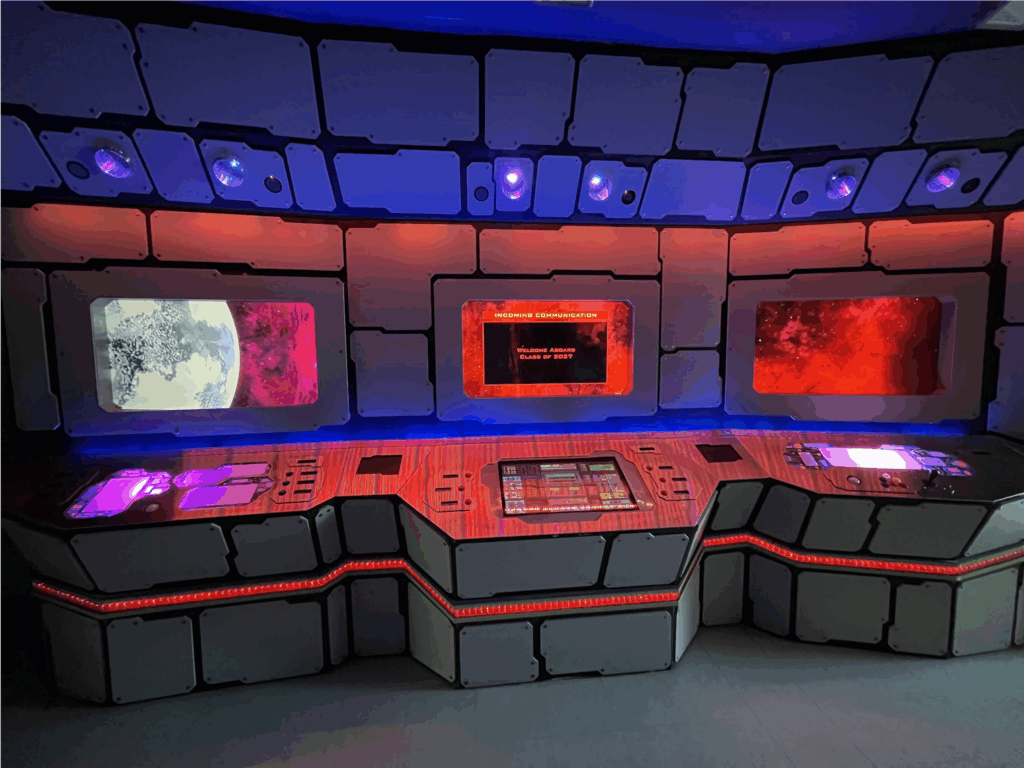
First things first, let’s take a look at the Space Bridge on the 5th floor of the Entertainment Technology Center (the focus of our project):
This iconic ETC platform was installed in 2006-07 as a student pitch project. It has gone through many cycles of renovation and development since and now it lands in our hands (to a certain degree). As a team, our focus is looking at developing LBE experiences using the Space Bridge in the modern year. The Space Bridge provides a unique opportunity here at the ETC to allow for LBE experimentation, especially due to the variety of contexts that it exists in. As a team, we’re hoping to look at making experiences that range from quick, daily interactions for the students and faculty who pass by the Space Bridge on their way to work or to classes all the way to full cooperative game experiences, treating the Space Bridge more like an arcade cabinet.
One of the challenges of this project is that achieving this goal requires us to manage two parallel timelines. Let’s talk about those timelines one at a time.
Hardware
While the actual nitty-gritty work of wiring and soldering isn’t the strict focus of our design-oriented project, in order to make the Space Bridge a functional platform for the team and our creative goals, we need to address some of the hardware needs of the Space Bridge. Currently, the ETC’s IT team is responsible for the maintenance and continued life of the Space Bridge (huge thanks to Steve, David, Bryan, and Jon for working with us). However, the current state of the Space Bridge does require a little bit of renovation as well in order to meet our needs.
The Space Bridge consists of 6 ‘stations’, each with their own upper display monitor. The entire bridge is divided into symmetrical halves, with 3 stations on each side. On each half, one station has 3 analog buttons and a trackball, one station has 6 analog buttons and a touchscreen display, and one station has a joystick and 6 analog buttons arranged in a triangle. As of right now, each station is driven by its own separate computer, and the upper screens are driven by their own computer as well. Unfortunately, in its current state, the upper display screens are disconnected from the computers that manage the input of the Space Bridge, and so its current (Spring 2025) function at the ETC is to display a space-themed animated wallpaper that runs on a loop (and can also display a popup to serve as a welcome message or banner on the center screen of each half).
Moving forward, our plan is broadly this: unify each half of the Space Bridge so that the inputs on the half are received by a single computer. Then use that computer to drive the three displays on the half, creating one singular system for each half of the Space Bridge. This will require us to work with our wonderful IT Department to construct a plan for the unification, as we can’t (and don’t want to) be responsible for ripping up all the wiring on this legacy platform ourselves. Also, as a safeguard, we hope to put in some simple switches to allow the Space Bridge to fall back to running the content of the current computer driving the monitors (just in case ☻).
We hope to get all of this done within the next 7 weeks (and much quicker, if possible). The main goal is that the Space Bridge becomes a functional platform for interactive experiences once again, so that we can focus on designing and deploying to it as soon as possible!
Software
Speaking of designing and deploying to the Space Bridge…
While we’re working on the hardware of the Space Bridge, there’s no use just sitting around waiting for parts to ship! As previously alluded to, one of the most interesting aspects of designing for the Space Bridge is that, in a sense, it lives many different lives: it is this massive, imposing thing that sits right in front of the elevators to the 5th floor; it has 3 asymmetric, arcade-style consoles to play with; it’s something that students and faculty alike pass by daily, pressing some of the buttons at random even though they don’t do anything; it’s the first thing that tour groups coming to the ETC notice when they first step out of the elevators (or, well, they notice it even before they step out). There’s a diverse range of contexts that the console can be used to experiment in, and that provides a very intriguing potential for its use as a platform. Our goal is to play with those contexts and see what it can do in these different spaces. Try and figure out what works and what doesn’t, and importantly what our team wants to make with the affordances that the Space Bridge provides.
Given that for the first chunk of our project timeline, we have limited access to the actual platform, our focus in concurrence with facilitating the changes to the hardware is to develop a software pipeline that allows us to emulate the Space Bridge, creating and testing on a ‘mirror’ of the platform even when we don’t have access to it. That way, we can make progress in the design area of the Space Bridge, in preparation for the moment that we get access to the Space Bridge proper.
To get into a few details, the majority of the Space Bridge’s analog inputs are driven by Phidgets. And so, in this first week, the main thing that our team has set up on the software side is a layer for Unity projects that serves as a kind of Space Bridge input manager, opening up the channels of the expected digital inputs, and wrapping their ‘onStateChange’ events in our own custom event that unifies the treatment of their game logic. By doing this, we are also able to insert keyboard analogues to each button input, which invoke that unifying event so that to any external game logic, the input of a keyboard or the input of the Phidget are exactly identical. Therefore, when designing in a debug environment, we have fairly decent assurances that our software will work acceptably once transitioned onto the actual platform (or our mirror of the platform).
Now, there are other input devices besides the Phidgets on the Space Bridge. Namely, there’s the touchscreen and the trackballs. These are mice, which are a tad difficult to distinguish. Coming into this project, on the technical none of us had much experience with this problem. I am writing this entry somewhat retrospectively, when we have now solved it, but I will lay out the issue now as we encountered at the time: Phidgets cannot be used with the modern Unity Input System. As of January 2025 at least, the Input System has an issue where it will grab all the available input devices that it can, regardless of whether or not one is using them with the Input System. The problem with this is that the Phidget21/22 APIs require you to open the channels and subscribe to Phidget’s own events, but the opening of these channels is blocked by the Input System. Therefore, we have to use the older Input Manager.
But the issue with the Input Manager is that it makes it difficult to differentiate two separate mice going into the same computer. I believe the Input System allows you to solve this with a Player separation feature that it has, but the Input Manager provides no such exposure of that knowledge. And so, if we were to unify all the inputs onto a single computer, differentiating the trackballs poses a challenge. We have since solved this, but I will not spoil how here.
So, at the end of the week this is where how our plan shaped up: we will be working concurrently with the IT team to make some changes to the Space Bridge in order to facilitate our use of the platform to prototype experiences, while we also prototype in our own emulated environments so that we are well prepared to deploy and test the moment we achieve our hardware goals.