
Refining the Experience, Learning from Playtest Day
Week 10 brought our design and development work together in a more complete STAiGE experience. We refined the platform’s workflow and UI, improved the Stage Map, and brought the updated prototype to ETC Playtest Day on October 31. It was a meaningful opportunity to watch people use the system, hear their reactions, and identify what still needs work.
Connecting the Full Workflow
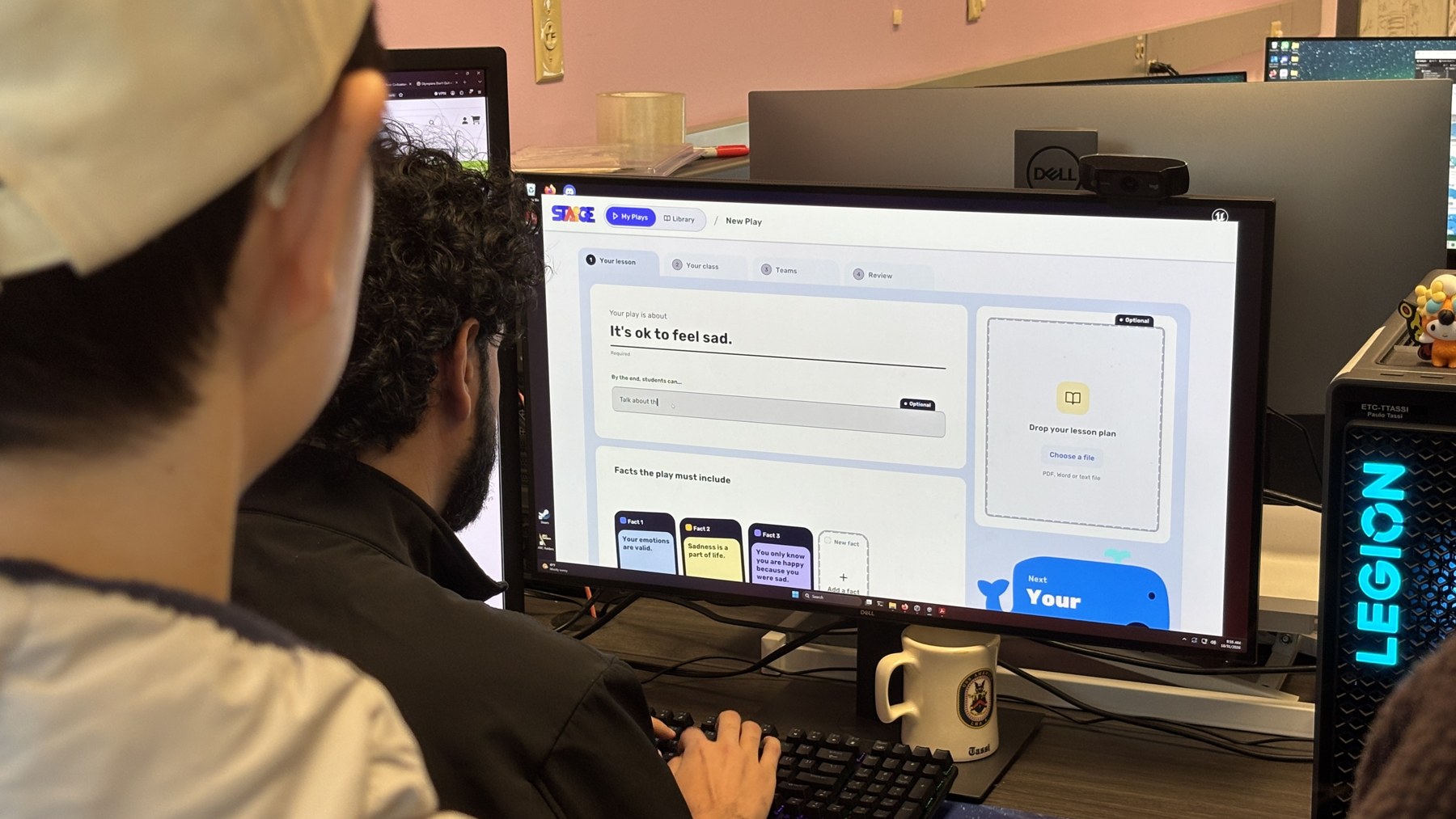
We focused on making the journey from lesson preparation to performance feel more connected. Teachers begin with lesson content, learning objectives, and key facts, then configure the class, performance space, available materials, and teams. A review step brings these choices together before the play is generated. From there, the platform connects the story overview, script, Show Flow, performance tools, and student work.
We continued simplifying the interface and refining its guidance, including a higher-level story overview before the full script. Behind the scenes, we restructured the backend to follow the updated design flow and continued the two-step generation workflow, which allows optional user input to help shape the final play. The Home, Teams, Class, Lesson, Play, Overview, and Performing pages were implemented in UI Version 2; the Loading and Student Task pages remained in progress.
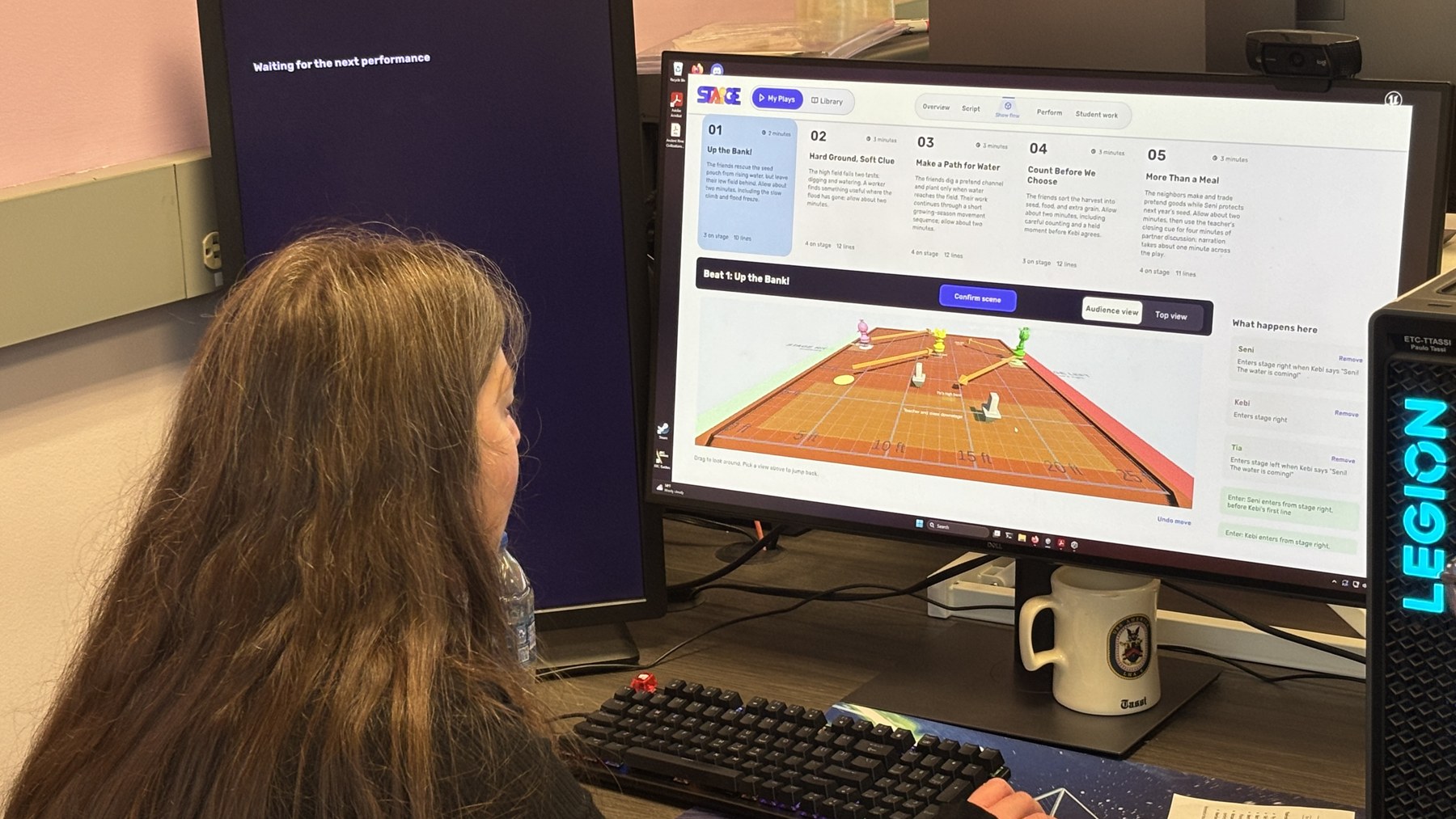
Making the Stage Map Easier to Read
This week’s Stage Map work focused on communicating where characters are and how they move. We refined movement cues, character color changes, stage-left and stage-right labels, wings, and on/off-stage indicators. These visual cues help connect the script’s action with the performance space, making entrances, exits, and movement easier to follow.

ETC Playtest Day — October 31
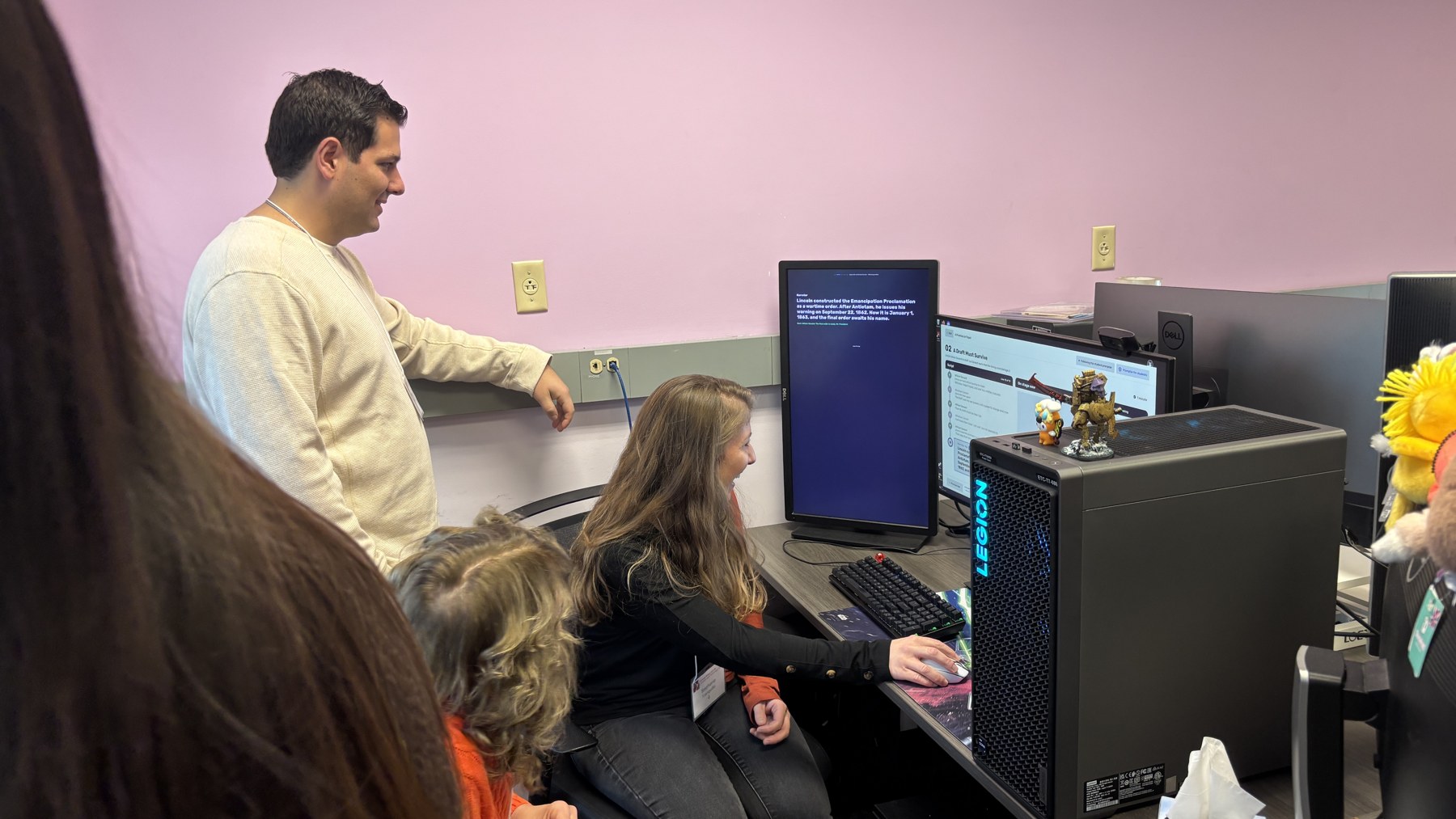
On October 31, we welcomed playtesters to try the updated prototype. Seeing people move through lesson setup, explore the generated play, and use the performance tools gave us a different perspective from testing within the team. We received a great deal of feedback, and the experience helped us see both the strengths of the current design and the gaps between preparing a play and helping students perform it.
Bringing the Generated Play to Life
During ETC Playtest Day, students performed a play generated with STAiGE. This short clip captures the experience of bringing the generated script to life.
What We Learned
Playtesters responded positively to the overall UI and visual design. The workflow and guidance were generally considered clear and easy to follow. That feedback was encouraging, while the observations below gave us concrete directions for the next iteration.
Reduce preparation effort. After a teacher uploads a lesson plan, the system could suggest a title, learning objectives, and key facts for the teacher to review and edit. This would reduce repeated input while keeping teachers in control of the content.
Give students context before performing. Some students had difficulty understanding the story or getting into character without prior preparation. Providing scripts and related materials ahead of the performance could help them feel more prepared and engage more deeply with the activity.
Connect lines with movement. The Stage Map still needs clearer visual communication. A useful next step is to show the map and movement cues alongside students’ lines, so they can see where to move instead of relying only on the teacher.
Improve generation reliability. Generation took around three minutes, and we encountered two generation failures during the playtest. These issues highlighted the need to improve reliability and the experience of waiting for a play to be ready.
Looking Ahead
We will use the Playtest Day feedback to prioritize clearer staging guidance, better student preparation, and a more reliable generation experience. Alongside these refinements, we continued following up with schools and potential testing partners. Our next iterations will focus on helping teachers and students move confidently from an academic lesson to a shared performance.