Category: Blog

  • Week 13: Full Version Playtests

    This week, we integrated and polished the overall experience of the project, successfully integrating the three core modules of Paint Room, Clock Room, and Camera Room in terms of experience. This enhances the coherence and overall immersion of the experience, forming a unity between narrative and sensory levels.

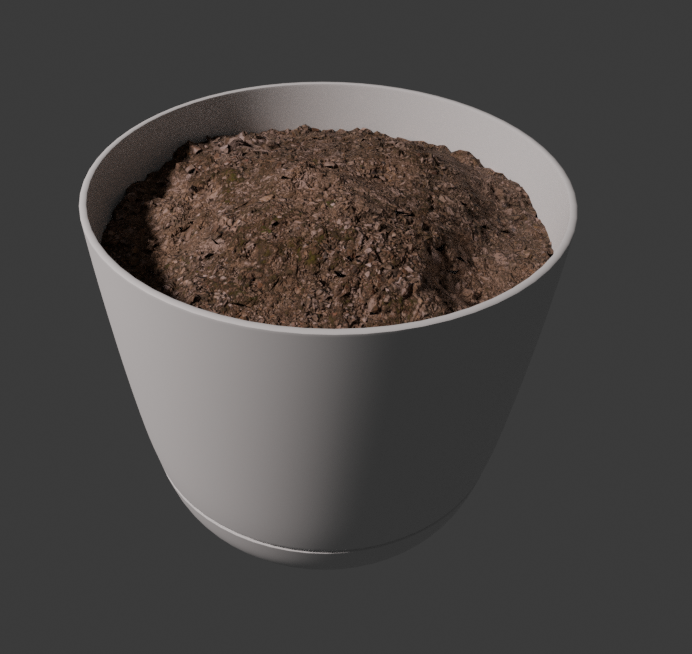
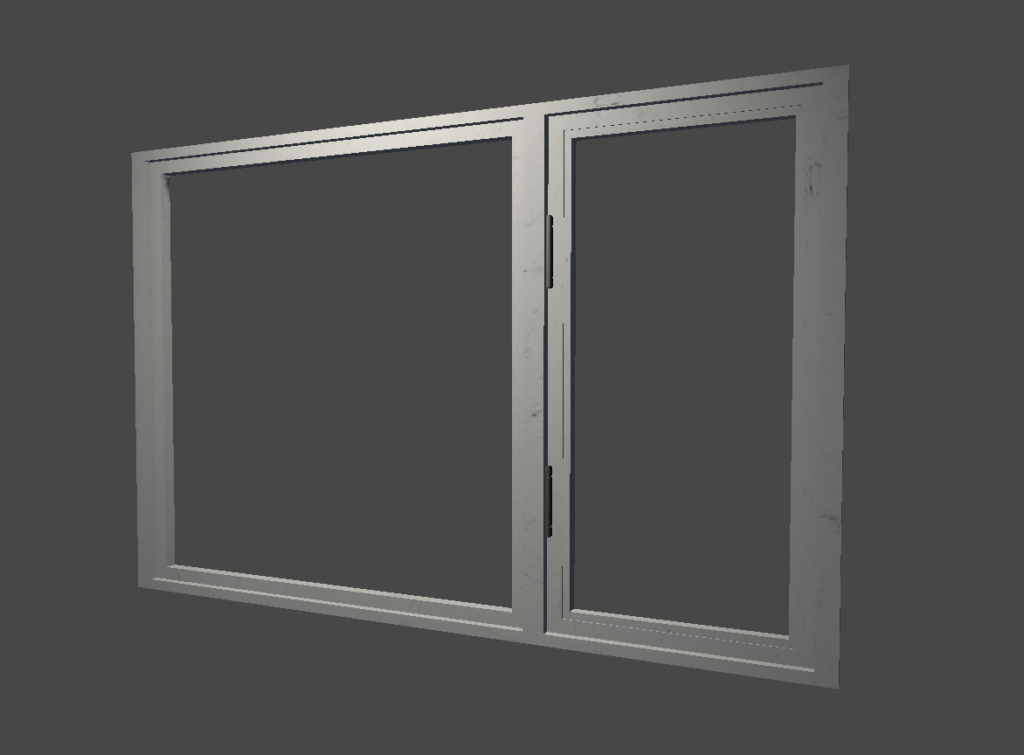
    We have made an important adjustment in the design of the Clock Room. The original plan was to create a lighting effect in the space through “crack light transmission”, but in actual testing, this solution lacked visual realism and struggled to support the immersive atmosphere of the overall experience. Therefore, we decisively overturned the original plan and instead adopted the method of “virtual windows+real external images” for reconstruction. The new plan is not only visually more natural and credible, but also establishes a more convincing connection between space and the ‘real world’. At the same time, we also added the action of “watering”, using a gravity sensor to sense the weight of water in the flowerpot to determine whether the watering action has been completed, in order to continue the process. We also re-adapted the physical lighting in the scene to better coordinate the fusion of virtual and real lighting, further enhancing the unity of the mixed reality experience.

    At the narrative level, we have systematically optimized the live performances involved in the background story based on the advice of our mentor Jesse Schell. The adjustment of script structure, performance rhythm, and specific presentation methods all make the story expression clearer and more powerful, and also make the experience more complete and consistent on an emotional level. This optimization significantly enhances users’ understanding and immersion in the project background settings.

    In addition, we also participated in two important showcase events this week, the Soft Opening and Alumni Weekend. During the event, we showcased the project results to mentors and alumni from different fields and conducted multiple rounds of on-site experience testing. Through these presentations, we have collected a wealth of valuable feedback: multiple mentors have put forward specific suggestions for optimizing the final stage from their respective professional perspectives, and many alumni have highly praised the “unique experiential form” of the project. Overall, most participants showed a strong interest in overall immersion and spatial design.

    This feedback provides clear direction for our next stage of polishing and validates the effectiveness of the current design approach. Overall, this week marks a crucial step in the project’s transition from “module completion” to “overall maturity”. Through the combination of technological adjustments, narrative optimization, and external feedback, our experience has gradually taken on a more complete and recognizable form. In the last week, we will continue to advance the final stage of detail optimization and experience improvement based on all the suggestions collected this semester.
  • Week12: Softs Preparation

    This week, we focused on preparing for Softs while continuing to improve and connect different parts of the experience. On the implementation side, we completed Jim’s tripping animation and finished setting up the lighting for the Jam-O-Drum room. We also finished several important parts of the clock room, including the virtual window and the flower pot.

    For the physical interaction in the clock room, the clock is now working. The player can move the clock hands by hand, and after being adjusted, the clock is also able to continue running like a normal clock. In addition, we finished soldering the weight sensor for the flower pot and got it working successfully. This gives us a usable input for the plant interaction and helps bring the clock room closer to a more complete playable state. We also remeasured the distances required for the tracking tags in order to improve reliability for the upcoming presentation.

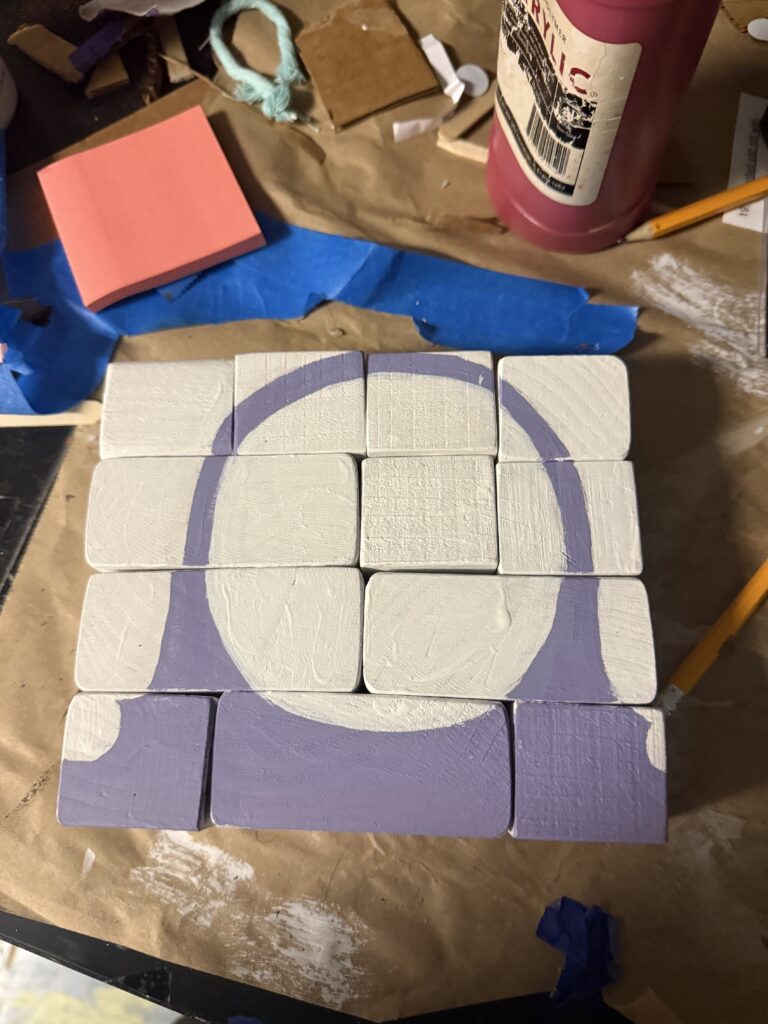
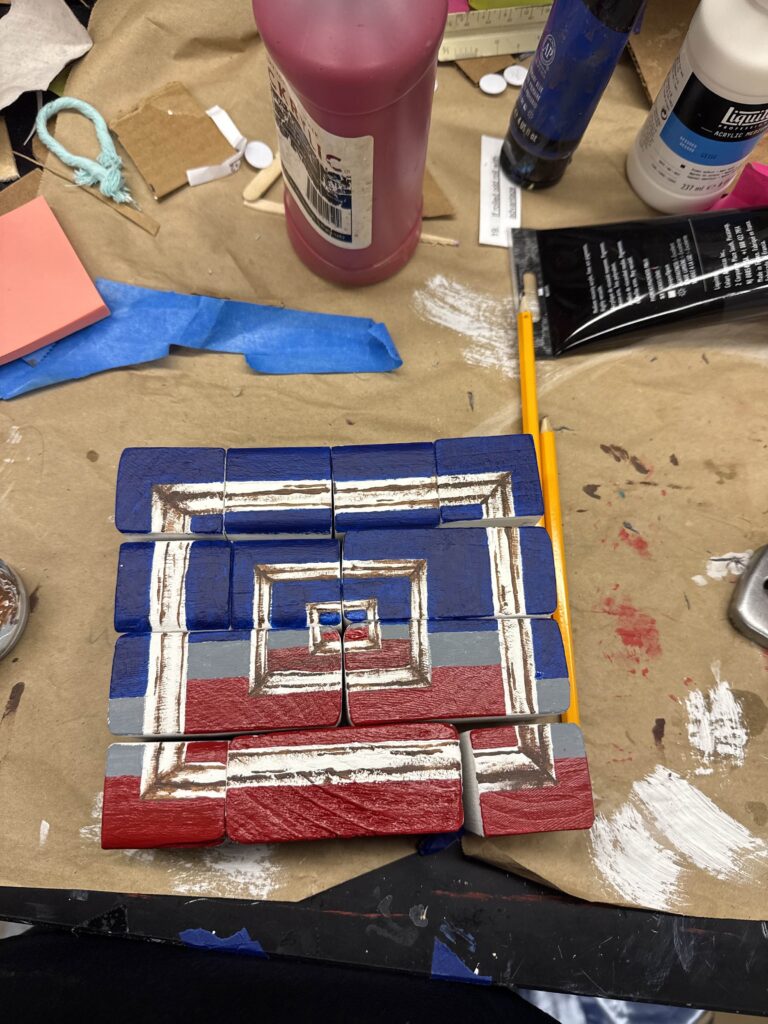
    For the painting experience, we finished painting the physical blocks used in the interaction. The front side matches the still life loop shown in the painting, while the back side uses the clock visual, helping connect the painting room and the clock room more clearly.

    We also showed our current demo to Jesse Schell and received a lot of feedback, especially about the narrative. Much of the discussion was about making the story more concrete and easier for the player to understand. For example, we started thinking more carefully about why the player was hired, whether the player is supposed to be an expert or simply someone brave enough to take the job, and what kind of organization is behind the museum. We also got feedback about clarifying why AR is important, how the abnormalities are affecting the real world, why cameras exist in the space, and why those cameras are virtual. Jesse also raised questions about Jim’s backstory, including what exactly went wrong with his project and how his work with space and time led to the current situation.

    We also got feedback that Jim should feel more present throughout the experience, especially in the painting room and the clock room. Other questions included how the team knows that Jim is Jim, why the player should care about reviving the plant, and whether Jim’s role in the ending should become more direct. These questions helped us see that while the interactions are becoming clearer, the story still needs to better support them.

    Based on this feedback, we started making plans to improve the narrative and visual logic of the clock room. One idea we decided to move forward with is creating a timelapse video of the outside of the ETC building using a webcam attached to the window. This will let the virtual window show a more believable change of time throughout the day. Dave also suggested a possible ending where the player fails to free Jim, or even deletes him by accident, which gave us a new direction to think about for the ending.

    Overall, this week was helpful not only because we made progress on several technical and physical components, but also because we identified many of the remaining narrative problems more clearly. Next week, we will continue preparing for Softs by polishing the current demo and improving the connection between interaction, environment, and story.

  • Week 11: Demo Testing and Clock Experience pt. 1

    This week, our development work has entered a more systematic and testable phase. After last week’s Playtest Day, we organized an additional round of user testing due to the need for additional feedback data, and based on all test feedback, we optimized and integrated the existing content accordingly. Based on these improvements, we have successfully produced the first build version available for continuous testing.


    In terms of visual representation, we have officially implemented the physical lighting system into the existing room based on the previously developed lighting design plan, and carefully matched the lighting effects of related art resources. For example, for the virtual wall used for occlusion in front of the frame, we have specially adjusted its lighting performance to visually match the actual room.


    At the same time, we have officially launched the development of Clock Room and conducted a series of technological explorations around its core experience. One of the key issues is how to realistically “project” virtual lighting effects onto the desktop in the real world. We have tried two different technical paths to address this issue. The first method is to create a camera synchronized with the direction of the virtual light source to read the shadow map and use it as a mask to make non-shadow areas transparent, achieving a visual effect similar to projection. This method is technically feasible and can achieve real-time updates, but there are still certain limitations in accuracy and stability. The second method is based on the built-in technology provided by Meta, which recognizes and projects virtual objects at the system level. This approach also supports real-time rendering, but has shown higher stability and a more natural visual fusion effect in testing. After comparing the options, we chose the second method for the current version, which solves the issue of virtual content not being naturally projected onto the real desktop.


    In terms of interactive props, the core object of Clock Room – an adjustable clock device – has also made significant progress this week. It has gradually been assembled and is expected to be put into use next week.


    Next week, we will present the existing content to Jesse Schell and listen to his opinions in preparation for the upcoming Soft Openning.

  • Week 10: ETC Playtest Day

    This week, we have improved the Paint Room Experience in preparation for participating in ETC’s Playtest Day every semester. In this test, nearly 8 groups of testers participated in our team’s testing and systematically verified the currently implemented content, mainly for the Paint Room Experience, including the previously mentioned Jim Experience.


    During the Playtest process, we collected feedback by observing and inviting participants to fill out questionnaires, which is of great value for subsequent optimization. One of the more obvious problems lies in the design of the physical prop frame: the decorative cloth strips on the frame may sometimes prevent the user from inserting their head into the frame. This physical obstacle to some extent changes the interactive intuition of the experiencer, making them more inclined to use only their hands to directly manipulate the props in the painting, rather than immersing themselves in observation by inserting their head into the painting as we originally envisioned. In response to this issue, we plan to adjust the frame structure in subsequent iterations to reduce unnecessary interference and guide users back to the expected interaction design.


    In addition, we have further validated the limitations of AprilTag in practical use during testing. Due to the influence of viewing angle on recognition performance, there may be alignment errors between virtual content and real space in some cases. Although this issue is difficult to completely avoid under current technological conditions, its impact on immersion is significant. Considering that our project is a mixed reality experience that emphasizes the fusion of virtual and real worlds, precise alignment between virtual objects and the real environment is crucial. Therefore, we have begun exploring alternative solutions and optimization strategies in order to achieve a better balance between stability and accuracy.


    Overall, this Playtest Day not only helped us verify the feasibility of the current design but also exposed several key experience issues. Next, until the Soft Opening, we will focus on optimizing interaction details and spatial alignment accuracy, and plan to conduct additional public testing next week to continuously improve the overall smoothness and immersion of the experience.

  • Week 9: Painting Experience pt. 2

    This week, we have made significant progress in the Painting Experience, while also advancing the development of “Jim-related” features for the hallway experience and completing the asset production for Jim’s room.

    For the Painting Experience, we have implemented an immersive interactive flow: the guest can enter the painting “physically”, freely move, and rearrange objects. More importantly, this system has real-time feedback capability – when the experiencer exits the painting, the screen will change instantly based on their internal operations. Like most magic shows, I won’t reveal our implementation method for now. This design enhances the user’s sense of participation and control, making the artwork no longer a passive object of viewing, but a moldable object.

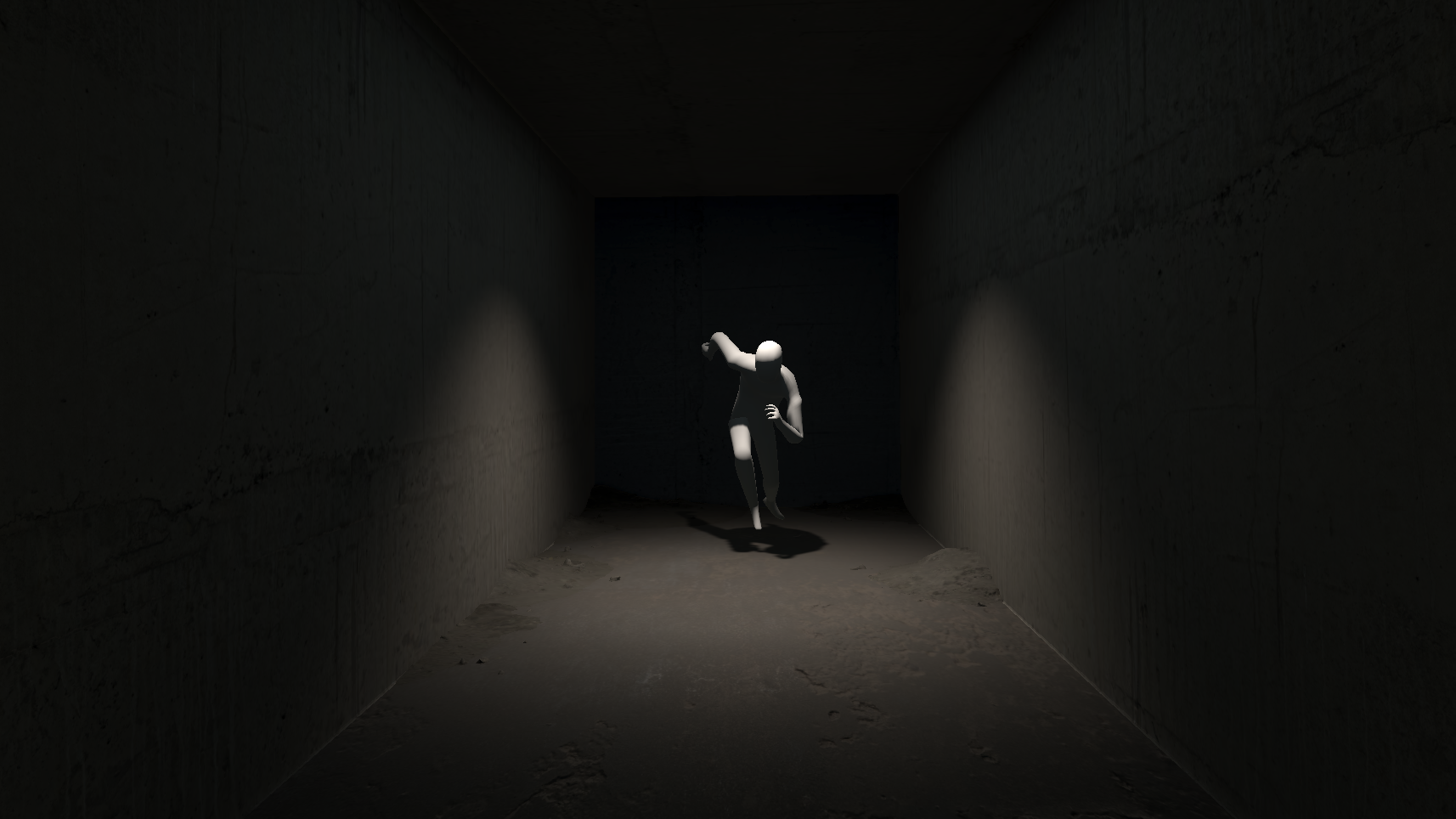
    At the same time, we have completed the development of the “Jim” related functions in the hallway experience, which can be more naturally integrated into the overall experience process and provide depth for the hallway process. Jim will be in his own small room. For this, we have adopted PBR material based on photo scanning, which greatly enhances the realism of the material, making details such as roughness, wear, and minor flaws naturally credible and better integrated into the real world. In terms of lighting, we combined pre-calculated lighting (also known as baking) with real-time lighting technology in Unity. The static part obtains high-quality global lighting effects through baking, while the dynamic elements rely on real-time lighting to respond, achieving a good balance between performance and visual performance. From the current effect (as shown in the figure), the scene presents a strong atmosphere and spatial depth. The contrast of light and shadow enhances the drama of the picture, while also effectively guiding the viewer’s visual focus, making the overall experience more immersive.

    Jim and his room

    Overall, after returning from spring break and GDC Week, the team has had better overall integration. This week’s results have significantly accelerated, not only improving the depth of project interaction but also significantly enhancing visual expression. Next, we will continue to optimize interaction details, enrich environmental narratives, and further strengthen the connection between user behavior and interaction feedback based on next week’s Playtest Day.

  • Week 8: Painting Experience pt. 1

    After returning from spring break and GDC Week, members of the team have become more accustomed to the project workflow. In this week’s development, we made significant progress in the Painting Experience, moving it from the conceptual stage to a more mature implementation stage.

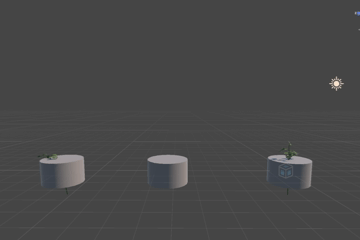
    At the same time, we conducted an in-depth exploration of the watering plant part in the clock experience. Around the themes of “growth” and “time backtracking”, the art team created segmented animations of plant growth based on interaction and expressive needs. This staged animation design allows plants to seamlessly transition and connect between different states, providing excellent visual support for future mechanisms related to time or behavior, and enhancing the overall experience’s vitality and dynamism.
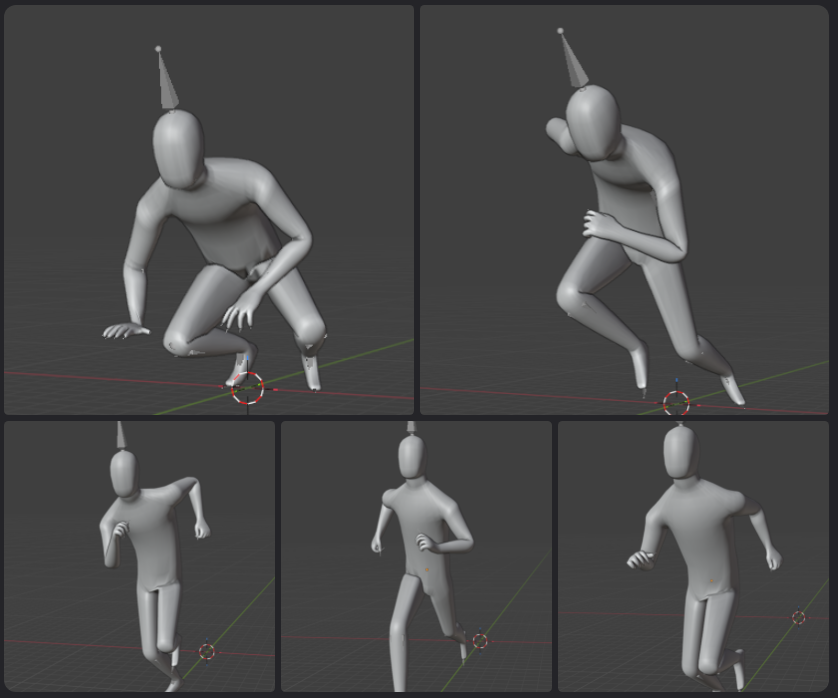
    We have also added an interactive content called ‘Jim’ for the hallway area to improve the previously monotonous process experience in that area. When passing through the hallway, players can see Jim in a small room through the doors of other project rooms. This character has a unique behavioral logic: when the player looks directly at him, he will remain completely still; And when the player looks away and then turns back, he will instantly change his posture, as if he is “secretly moving” (similar to the setting of SCP173).

    Plant Growing Animations
    Jim Character and Poses

    This mechanism brings obvious psychological tension to the experience, and also strengthens the uncertainty and strangeness of the space. And through this, it weakens the sense of disconnection caused by the inability to enter the other project room doors. It also adds a subtle and unusual atmosphere to the entire etc building 3rd floor, making it more in line with the overall theme style of the backrooms.

  • Week 7: Halves

    We started out this week with Halves! It was very exciting to show off our work so far this semester and get to see all the amazing work that other teams are doing. It also made us realize how much more work we hope to get done the rest of the semester, especially before Playtest Day at the end of week 10. So, we made a schedule for weeks 8-10, which we hope will get us on track to finish a few experiences and integrate them into a rough-draft full experience. We have broken up the work so that we can polish the painting experience, create a bare-bones experience where the guest can control time (manipulating the hands of a physical clock to change time of day and grow a plant), and add a simple interaction in the hallway (a character in a virtual room who will move toward you whenever you look away), all in weeks 8 and 9. Then, we will have week 10 to polish and integrate before Playtest Day on March 28. While this is a lot to do, we have most of the foundations already in place and have outlined a clear path forward.

    However, this week, we focused on finishing the first version of the painting experience. This involved fixing a bug with the ArUco markers; moving the marker in weird ways produced unexpected results in pose estimation (i.e. moving it away from the camera in the Z axis caused the pose to move up in the Y axis as well). We eventually found an issue with the camera intrinsic matrix Meta gives us, which meant we needed to change a setting in the camera API. After doing a few more tests to ensure we did not miss anything else, we finally confirmed that ArUco marker tracking is bug free!

    With this, we were able to finish a rudimentary version of the painting experience. We created a virtual wall which matches the Jam o Drum room wall, and aligned it plus a virtual painting to the physical painting frame we have. We integrated the black and white filter we had last week, which we activate when the guest sticks their head in the virtual painting. We also switched the image the painting displayed between two premade options when the guest’s head leaves the painting, completing our first draft of the experience. In the future, we want to integrate a camera which will dynamically update the painting to exactly match what the guest does with the physical painting (as opposed to switching between two premade options), making the experience feel more real. We did the basic setup, getting webcam images to be wirelessly sent to our computer, but did not complete Unity integration before the end of the week.

    We also started on some of the art aspects for our “control time” experience. Here, we want the guest to move the hands of a clock, and have time seemingly move back and forth accordingly. To create this effect, we want the lighting to change (as if the sun is moving) and a plant to grow. We created the start of a plant growing animation, and started to look into volumetric lighting in Unity and VR. We found a library with VR support for this lighting, and integrated it into our project. It looks pretty good so far (see below), and we are confident we can implement it into a final experience in a satisfactory way!

  • WEEK 6: Painting Demo pt. 2

    During this week’s development, we continued to move forward with the previously established painting idea. Compared to the initial concept, this week focused on implementation, making this idea a tangible prototype. To apply different visual effects only to specific areas within the same space, we use the Post Processing Volume (PPV) system in the Unity Engine to achieve layered rendering within the space. By creating a local volume region, we are able to individually control post-processing parameters within a specific spatial range. When the user physically enters the coverage area of the volume, we adjust the saturation to show a black and white effect, while making subtle adjustments to contrast and exposure to enhance visual depth. In this way, the real area inside the volume will present a texture similar to sketching or grey scale paintings, while the external area will remain in a normal state of human eye perception.

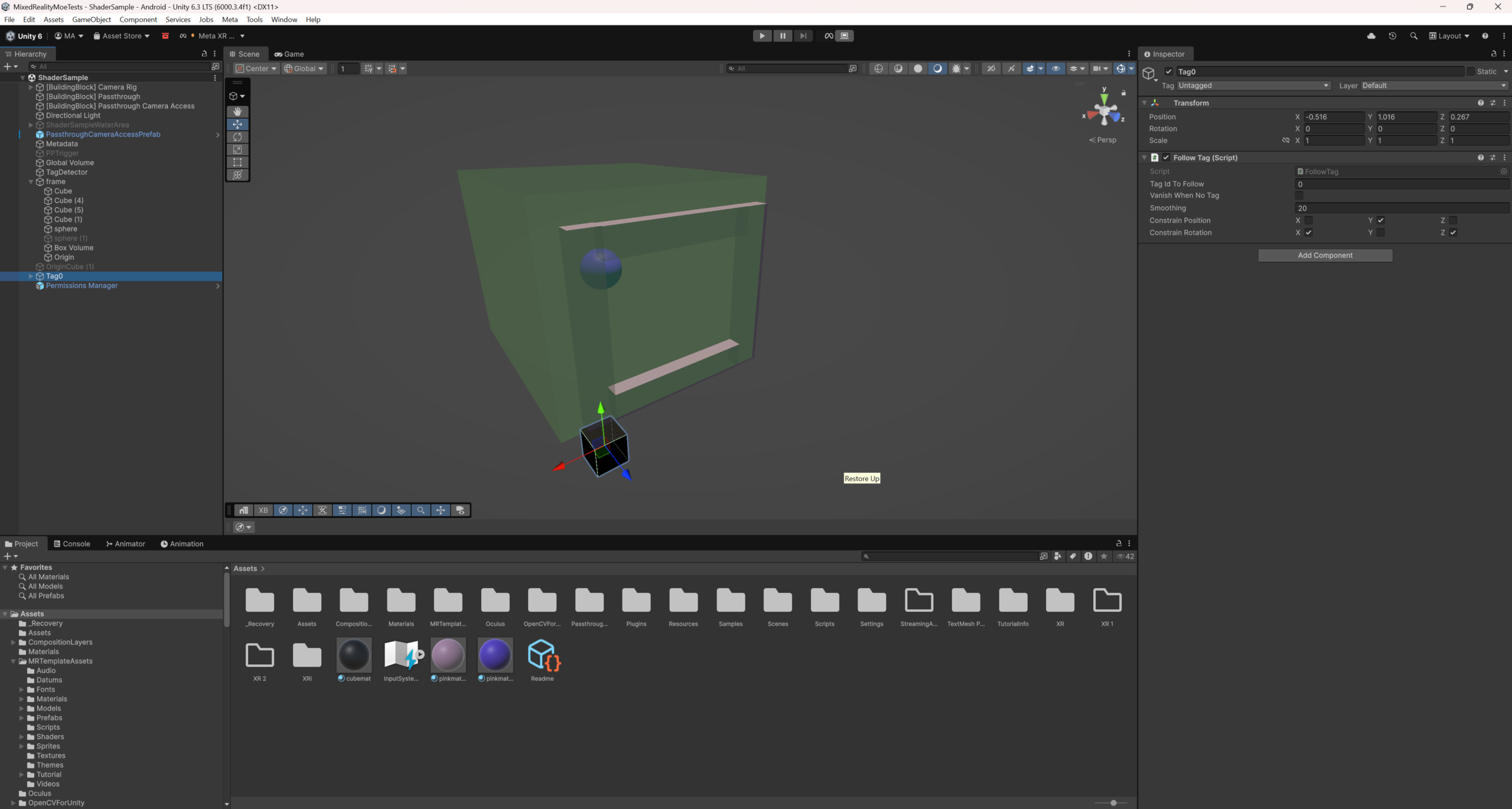
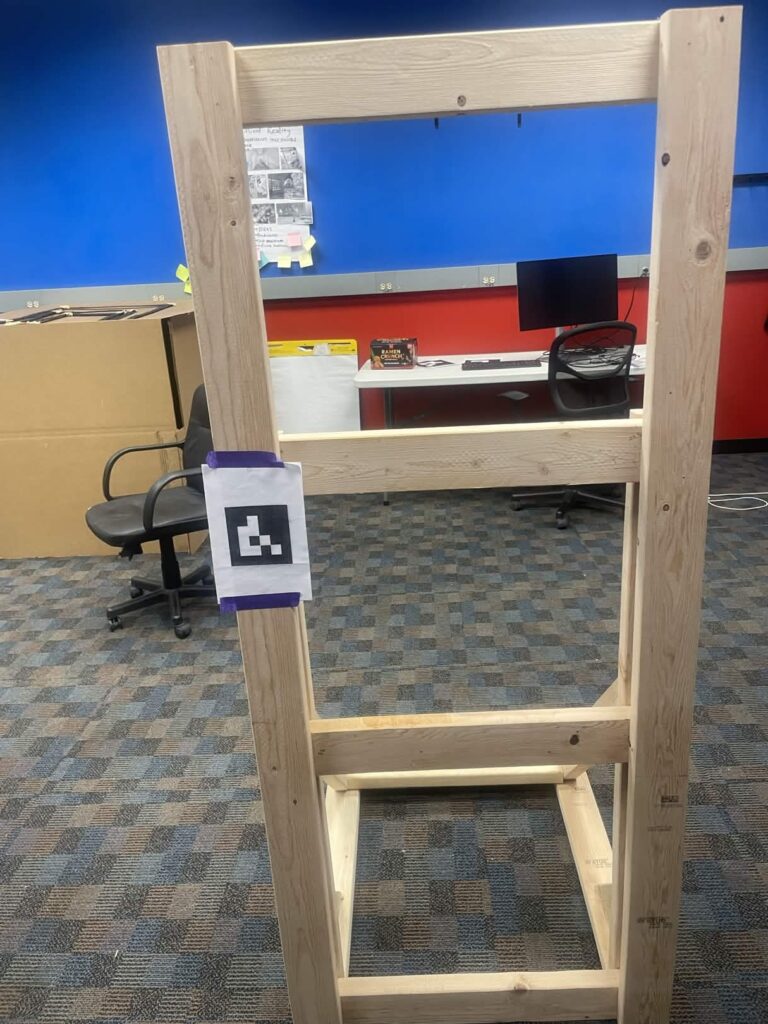
    The painting demo accessed the color adjustments in the passthrough building block provided by Meta to add a black and white filter. First used a volume with a collision trigger to detect the guest’s main camera, but that was not reliable, so we changed to using collider bounds checking for the main camera transform in order to trigger the effect. Also used an April tag taped to the physical frame to align everything.

    In addition to technical implementation, we also handcrafted a physical easel to showcase the complete experience in the demo. It provides users with a clear viewing boundary, allowing them to naturally view the area within the frame as the “painting area”. When the user passes through the frame to view, the real world inside the frame is transformed into a black and white painting style, while the outside of the frame still maintains a true color state.

  • WEEK 5: Painting Demo pt. 1

    During this week’s instructor meeting, we clarified several design questions and explored more ambitious interactions between physical and digital elements. Following this discussion, the team also did brainstorming focusing on the “magic painting” concepts. We explored how users might interact with a physical painting frame while seeing the environment transformed through mixed reality.

    A significant portion of the week was dedicated to technical research and debugging. One focus area was improving the positioning accuracy of April Tags, which are crucial for spatial tracking in our system. We investigated ways to stabilize detection and reduce positional jitter, while also fixing several bugs related to the current implementation. We also encountered issues with our photogrammetry model, which required additional adjustments and cleanup. Fixing the model ensured that it could be properly integrated into the mixed-reality environment. Besides this, the team members conducted fabrication training, exploring materials and techniques that could support the physical components of our installation.

    On the technical side, we continued experimenting with local post-processing volumes to test how specific areas of the real environment can be visually transformed. These experiments are closely related to the painting concept, where the world inside the frame may appear stylized or altered. In parallel, we researched the potential techniques for erasing or masking real-world objects, which could allow virtual elements to convincingly replace parts of the physical environment. Finally, we debugged the ArUco marker detection system and its associated shader, which are for linking the physical markers to visual effects in the virtual scene. Resolving these issues will be important for achieving stable tracking and consistent visual results.

  • Week 4: Quarters and Door Demo pt. 2

    Because of the snow storm last week, we started off this week with our postponed Quarters session, where we got very useful feedback from faculty about our current direction. We are generally very happy with our theming, but are concerned that we may be a little over-scoped. Hopefully, if we are, it is only by a little, and we believe we can cut back later in the semester if we need to. We did get some very useful previous ETC projects to look into, including BigMR (a project which explored multiplayer MR in a large shared space) and ImmerX (a project which focused on blending the physical and virtual worlds in interesting ways), which will both be very useful inspirations going forward. Another very consistent piece of feedback we got was that we need to define “magical” in the context of our experience – it is a very central pillar of our project, but is a very vague concept that can have different meanings in different situations. This is true, and is something that we will put more intentional thought into going forward.

    We also started to advance our tech in three areas: smoothing the ArUco marker data, investigating photogrammetry, and finishing up the Door Demo. We found that the raw data from the ArUco detector was not perfect, and was often a little jumpy. To combat this, we looked into a few different filters for the data, with the goal of making the pose estimations smoother from frame to frame. These filters include a Kalman filter, an interpolation filter, and a moving average filter. While we have these largely implemented, more testing is needed to determine which is optimal for our purposes.

    Since we want to mess with the physical world, we also started to look into photogrammetry. Photogrammetry is a method to create a model of a 3D space – by analyzing many 2D images of the space, similar features can be detected in each image and the images stitched together to form one single 3D model. If we are able to get this realistic enough, we believe we could do interesting things with our room, such as flipping it upside down when the guest walks in.

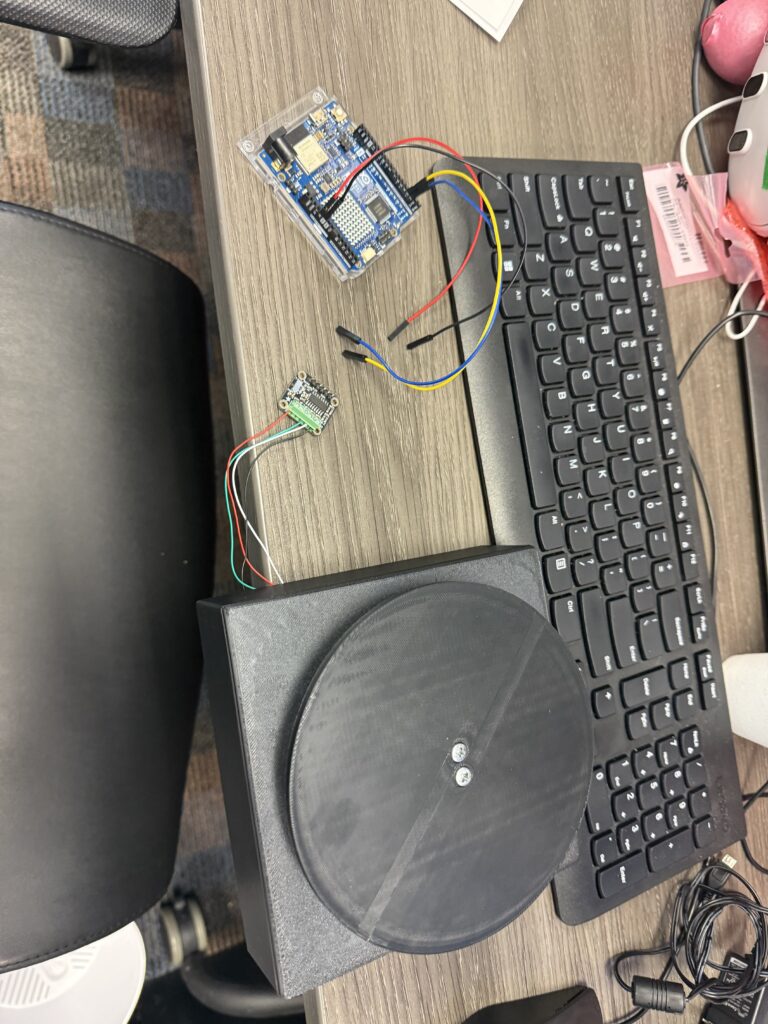
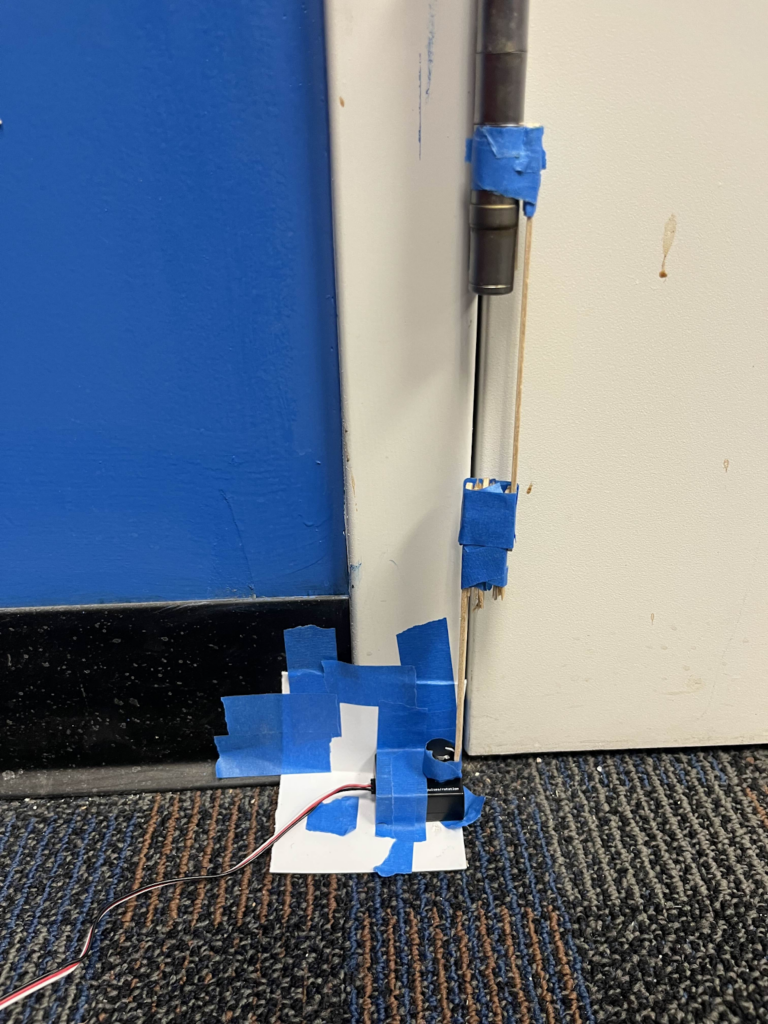
    Finally, we finished up our door demo. This involved getting the rotation data from the Raspberry Pi onto the Quest wirelessly, hooking up the sensor to the door itself, and using that data to occlude a virtual environment, each of which had its own challenges. We had to set up a custom network server for the Raspberry Pi to publish data to. This server had to work around restrictions placed on CMU’s network, but we were able to work around that with the help of the ETC tech team (thank you!). Next, we had to find a way to capture the door rotation. We set up a rudimentary link between the door hinge and the rotation sensor using materials from the paint room (pictured below). While this was far from perfect, it would serve as a proof-of-concept. This step also involved creating the calibration curve, to translate the values we got from the rotation sensor into the actual number of degrees the door was open. Finally, we integrated these together in a Unity scene, modelling the door as a rectangle with a special shader on it which would show the real world instead of the virtual. We used more of this shader outside of the room to show the physical hallway, then placed a virtual environment inside the room. With the rotation sensor providing the angle the door was at, we were able to rotate the rectangle to approximately match the angle the physical door was at, occluding the virtual environment the way the actual door would occlude the physical environment behind it.

    This demo definitely could use some refinement – there is significant lag and accuracy issues with getting the rotation data, which ruins the illusion. We also did not integrate the fiducial markers into it, as we are still working on them, meaning alignment was an issue. We learned a lot though – we cannot do anything from sensors which require a high level of accuracy, as even relatively small errors in positioning can break the illusion we want to go for. But, we do have the basic structure set up to use more external sensors in the future and to do more with occlusion in special ways.