Welcome back to the SpellChemists development blog! Week 6 brought substantial progress across the project, I believe our team is ready for the Halves nest week!
The Skeleton of the Foundry System
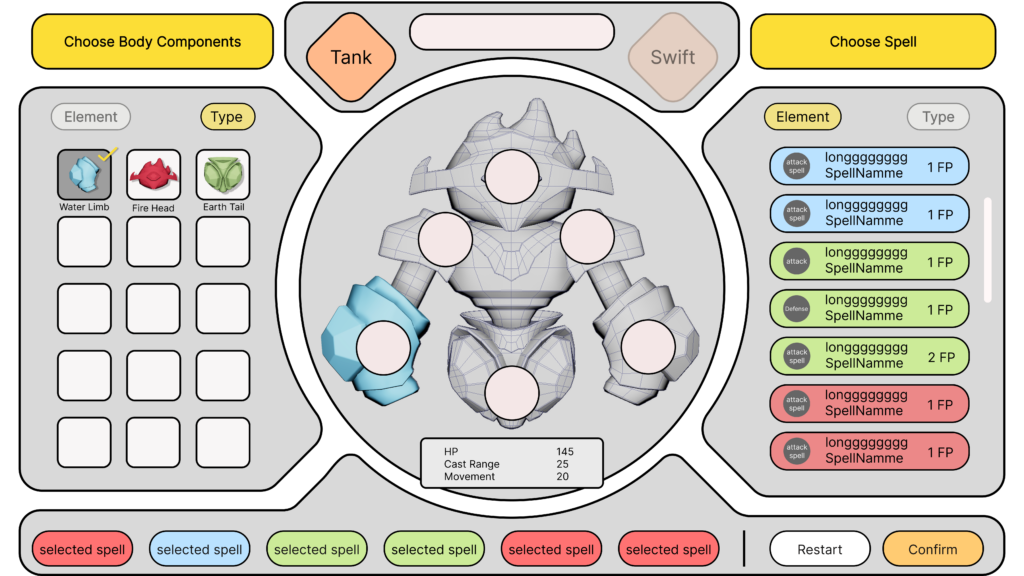
In this week, we have finished the skeleton of the Foundry system. The Foundry system is where players build their homunculus, unlock spells and decide their strategies before the game starts.
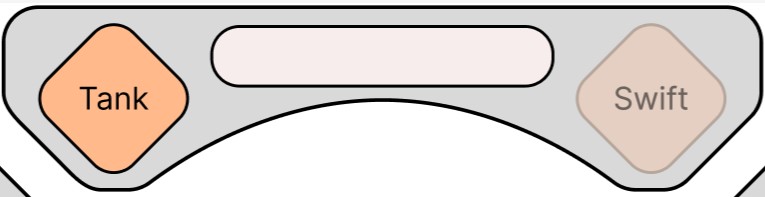
Initially, player choose a rig from the Swift and the Tank, each rig would provide player with different base stats and a passive skill. The Swift has the passive skill that increases its damage the further it moves each turn, while the Tank deals more damage when it has more shields.
After a rig is chosen, player may be able to build their own Homunculi using the body parts with different elements. By constructing the Homunculi using different body parts, different spells would be unlocked. Each player could only choose certain number of spells in their build.
One example: Fireball needs a Fire Head. Put a Fire Head on the homunculus and Fireball appears in the spell list. Take that head off, or replace it with Earth or Water, and Fireball locks again. Leaf Daggers works the same way with an Earth head. A heavier spell asks for more of one element, not just a single part.
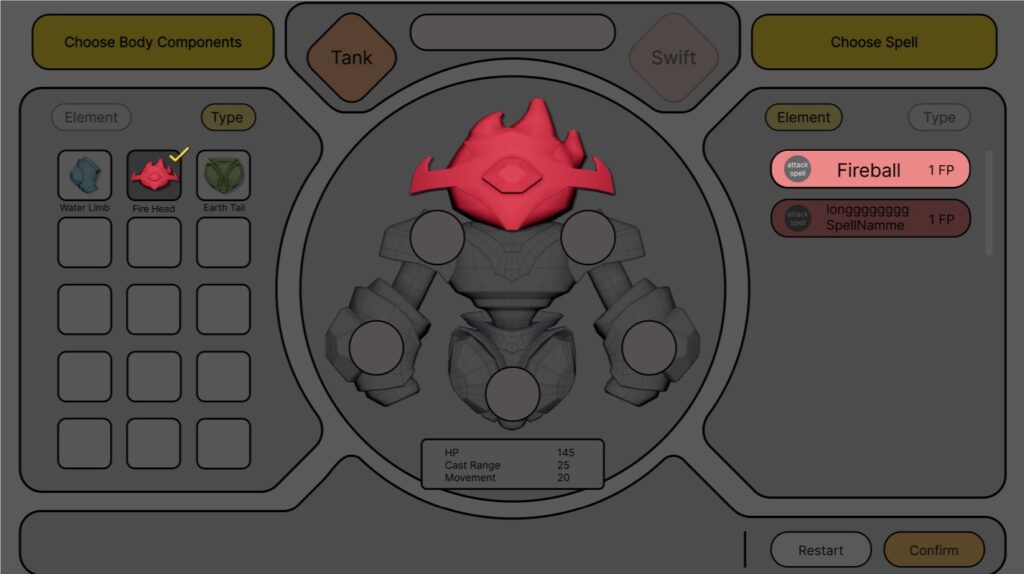
However, players do not have unlimited body parts. As we mentioned earlier, each player starts with a starter pack, each pack contains body parts aligned with a specific element (fire, water or earth), along with a few from other elements. This provides players with a solid baseline build and a touch of early customization, allowing them to jump in quickly without feeling overwhelmed. Body parts can be gained through the duel, winner would be able to choose from a certain amount of parts while the loser would receive a random body part.
When player finished building their Homunculi, they can choose to save their player data to LAN database, so they could access this data using their RFID card. These data would also be stored at a LAN shared file so all the computers in the tournament could access it.
Once the Homunculi is built, player could use it to start a duel. To start a duel, select a board and push the player to the standby area of that board. Once all players are ready, the duel is set.
All 25 Spells
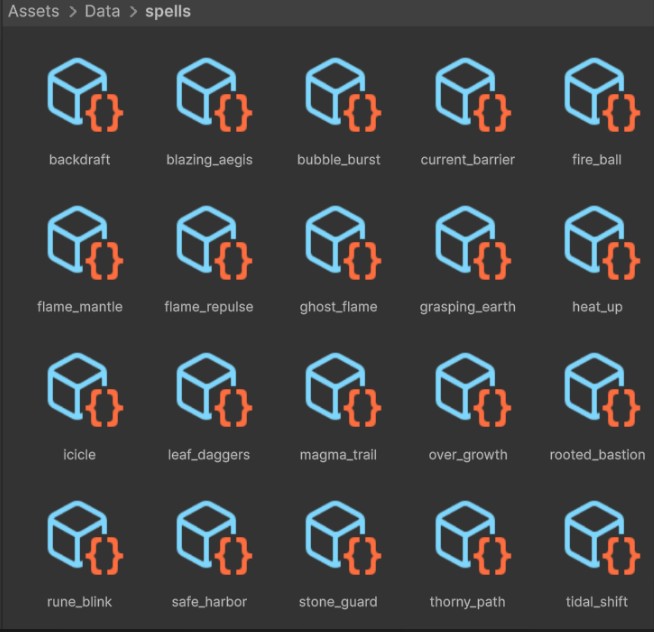
In this week, we also added all 25 Spells into Arena, giving us a much more complete foundation for testing combat and balancing different builds.
Designing the Arena UI for the Board
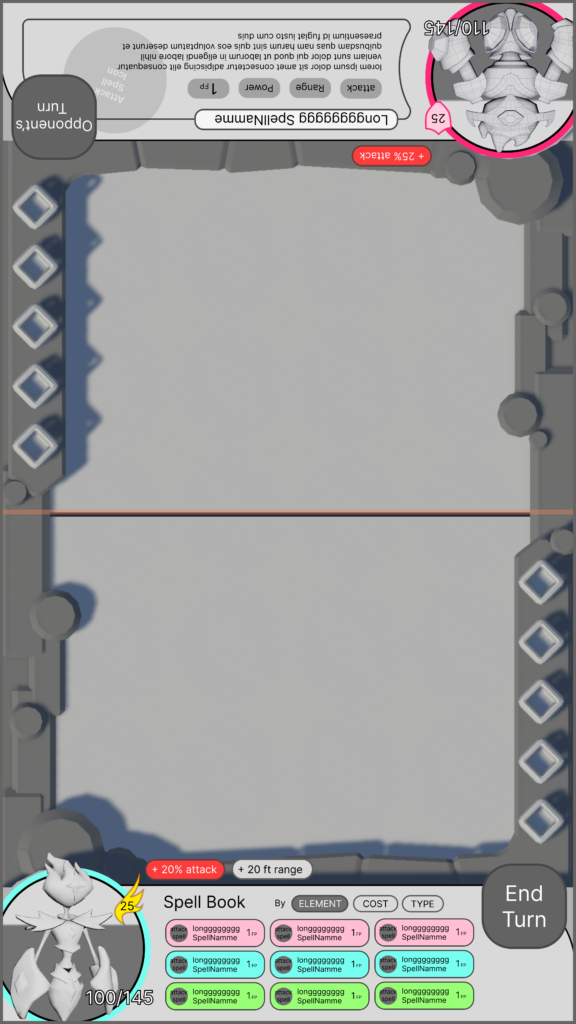
The Arena interface gives players access to the information they need during combat: their equipped spells, remaining Focus Points, current health, active buffs, and a clear image of their character.
Designing this interface for the Board created a specific challenge. Its screen space is limited, and the Arena already needs enough room for players to read character positions, spell ranges, and elemental terrain. Instead of separating every piece of information into an additional panel, we looked for ways to combine related information and preserve as much space for gameplay as possible.
One result is our health display, which is placed directly inside the circular character portrait. The character appears to stand within a container of liquid representing their remaining health. When the character takes damage, the liquid level falls like water draining from a bottle.
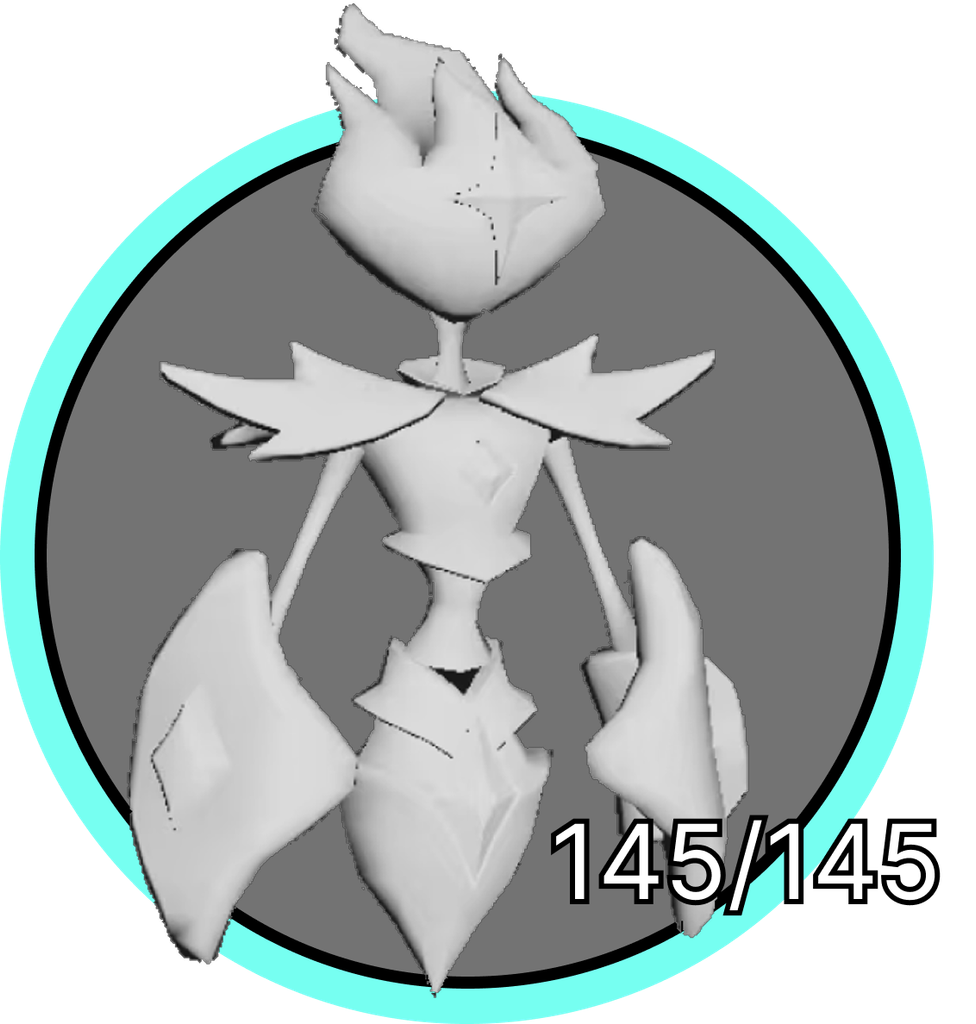
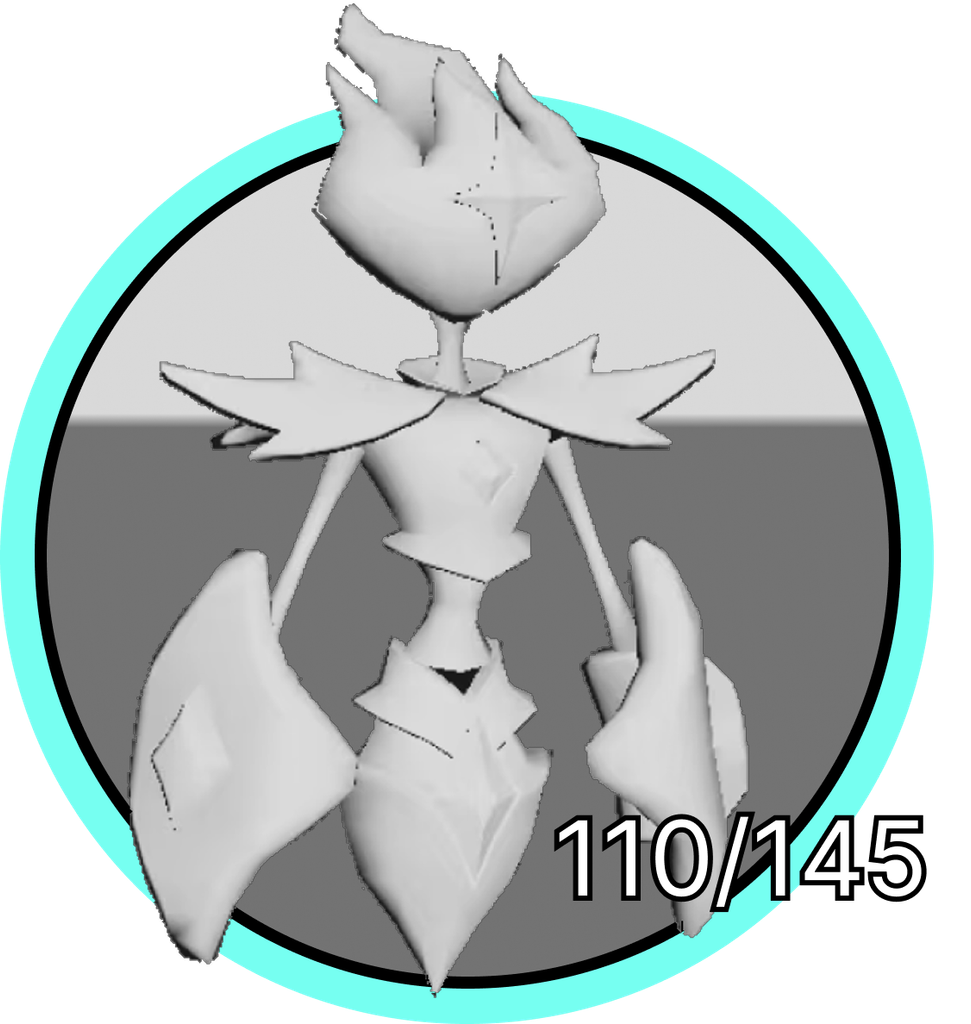
Because SpellChemists uses a top-down gameplay camera, players normally cannot see the front of their homunculi clearly during a match. This would make it difficult to appreciate the character designs and the body components selected in the Foundry.
To address this, we placed a separate camera in front of each character. The circular portrait in the UI is not a static illustration; it captures the character model in real time. This gives players a clearer view of the homunculus they created while keeping the main Arena camera focused on strategy and positioning.
The live portrait will also allow the interface to reflect future character animations. As we add movement and spell-casting animations, players will be able to see those actions from the front without changing the top-down view of the Arena.
Our Arena UI combines traditional 2D information with interface elements placed directly in the 3D scene. This week, our artists created the first 3D environmental UI assets, including the display for Focus Points.
Rather than making every resource indicator feel like a flat overlay placed above the game, the 3D elements allow parts of the interface to exist within the same visual space as the Arena. We hope this approach will create a smoother connection between the game world and the information surrounding it, while the 2D elements continue to provide the clarity needed for detailed spells, buffs, and player status.